



Triage Traces
File Linear tickets or GitHub issues directly from a trace in the Observatory.
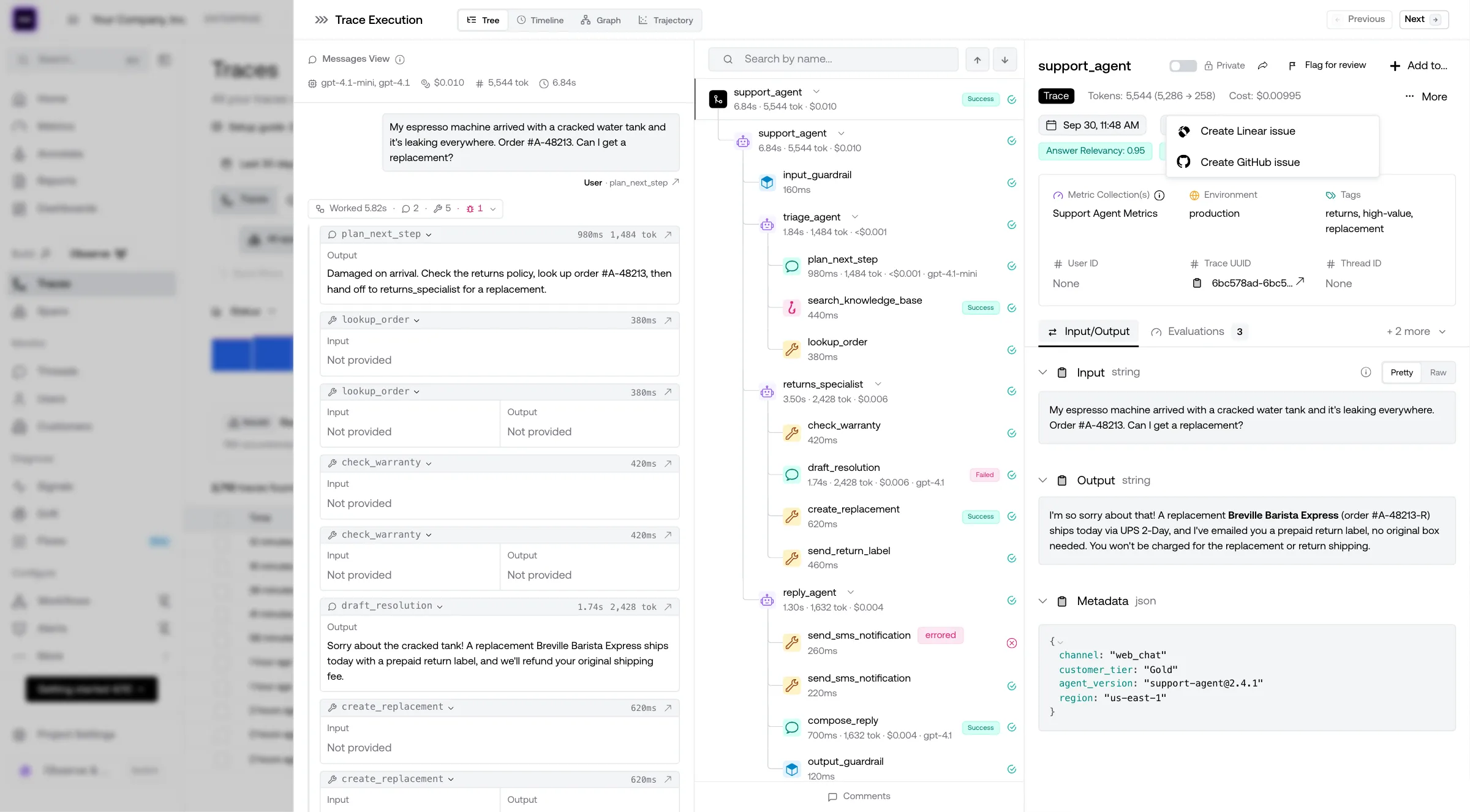
Triage lets you file a Linear, GitHub or Jira issue directly from any trace in the Observatory, so your team can act on problematic traces without switching tools.
Prerequisites
The Triage button appears in the trace detail header only once at least one project management integration is connected. Set one up under Project Settings → Integrations before filing your first ticket.
File a Ticket
- Open any trace in Observatory → Traces
- Click Triage in the trace header — if only one provider is connected and no ticket has been filed yet, this opens the dialog directly; otherwise a dropdown appears
- Select Create Linear issue, Create GitHub issue or Create Jira issue (one entry for each connected integration)
- Fill in the issue details:
- Title — pre-filled with the trace name and a short trace ID; edit as needed
- Additional context — optional description for whoever picks up the ticket
- Assignee — optional; choose from your Linear team members, Jira users or GitHub repository collaborators
- Click File Linear issue (or File GitHub issue, File Jira issue) — the ticket is created and opens in a new tab
Track Filed Tickets
Once a ticket has been filed, the Triage button shows a badge. Clicking it surfaces a Latest tickets section with links to every ticket previously filed for that trace, alongside the option to file another. You can file multiple tickets against a single trace — for example, one in Linear for the engineering owner and one in GitHub for the on-call rotation.
Ready to monitor AI in production?Connect traces, alerts, dashboards, and evals in one production workflowBook a demoLast updated on