#4830“Where is my parcel?”#4827“Driver never showed up”#4819“Tracking says delivered”#4812“Can I change the address?”
Where PMs Turn Product Signals Into Evals.
Monitor user sentiment, route problematic traces to the right annotators, and turn what they find into evals your engineers can fix against. Every issue goes from spotted to solved without leaving the platform.
TRUSTED BY 500+ LEADING AI COMPANIES










Evals ran to date[ 0+ ]
Find Hidden Issues Without Hunting for Them.
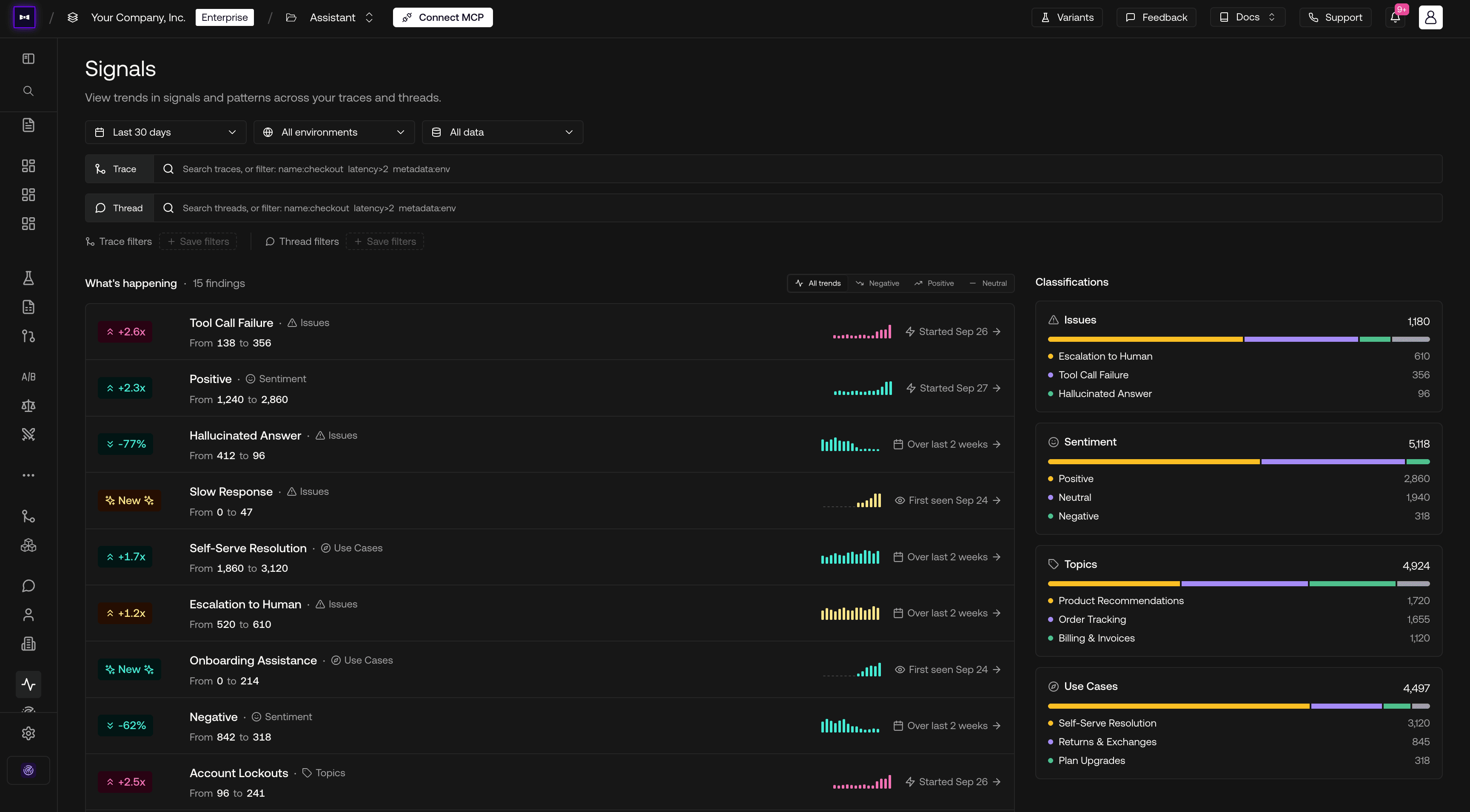
Monitor user sentiment across conversations and inspect the traces behind recurring problems. See where users struggle so you can prioritize issues before they become support tickets.
Production Signals
Inspect the conversations behind recurring confusion.
Get the Right Experts Reviewing the Right Traces.
Route problematic traces to the domain experts who can judge the answers. Set up review workflows without writing code or waiting for engineering to move data between tools.
Expert Review Queues
Filtered traces assigned to the right reviewers.
Make Eval-Driven Decisions Without the Engineering Bottleneck.
Run evals without writing code and compare results across prompts and models. See what improves, inspect what fails, and decide which changes are ready to move forward.
Eval Dashboard
Run evals and ship fixes without waiting on engineering.
THE PLATFORMMonitor, prioritize, improve.
Monitor, prioritize, improve.
Complete the AI quality loop for PMs.
ENTERPRISEBring Evals to Every Team.
Bring Evals to Every Team.
Keep Your Data Under Control.
Give your security and IT teams the deployment options, data controls, and access permissions they need to assess adoption.
Self-host or use Confident AI's cloud.
On-prem · AWS · Azure · GCP
Your data. Your region.
Multi-region residency · HIPAA · GDPR
Granular permissions.
RBAC · Project isolation · Data masking
99.9% uptime SLA.
Enterprise-grade availability
us_west_1us_east_1eu_central_1uk_south_1jp_east_1ca_central_1au_southeast_1
FAQ
Have a Question?
Checkout our FAQs below, or talk to a human. They won't hallucinate.
Yes. Once your team is sending traces to Confident AI, you can create annotation queues, choose review criteria, and assign items in the platform. Engineering handles the initial tracing integration; you can manage the review work after that.
Configure a conversation classifier with sentiment labels and descriptions. The Signals view shows label counts and trends, with links to the underlying conversations so you can investigate what users experienced.
Yes. Set up an ingestion task on an annotation queue and filter by classifier label, score, tags, or other trace data. Choose reviewers and an assignment strategy so matching items reach the people who can judge them.
Add the relevant examples to a shared dataset, capture expected answers or outcomes, and have them reviewed and finalized. Engineers can run evaluations against that dataset to check whether their changes address the issue.
Use signal trends and filters to find recurring patterns, then inspect the affected conversations. Combine that evidence with expert feedback to prioritize failures by their impact on your users and product goals.
Yes. Choose a dataset and metric collection, run an evaluation, and compare test runs in the platform. For a deployed app, engineering first configures the connection; you can then run evaluations without writing code.
Annotation queues show completion progress and let you filter items by status or assignee. Use Queue Settings to reassign work and see what still needs review.
Yes. Create reusable annotation forms and attach them to specific queues. Combine ratings, multiple-choice questions, numbers, and text fields to capture the feedback each use case needs.