



Prompts & Hyperparameters for AI Connections
Attach prompt versions and hyperparameters to your AI connection's payload.
Overview
Prompts and hyperparameters are sent to your AI Connection endpoint as part of the payload, and both are logged alongside your test runs and experiments. This lets you trace every evaluation result back to the exact prompt versions and configuration values used to produce it.
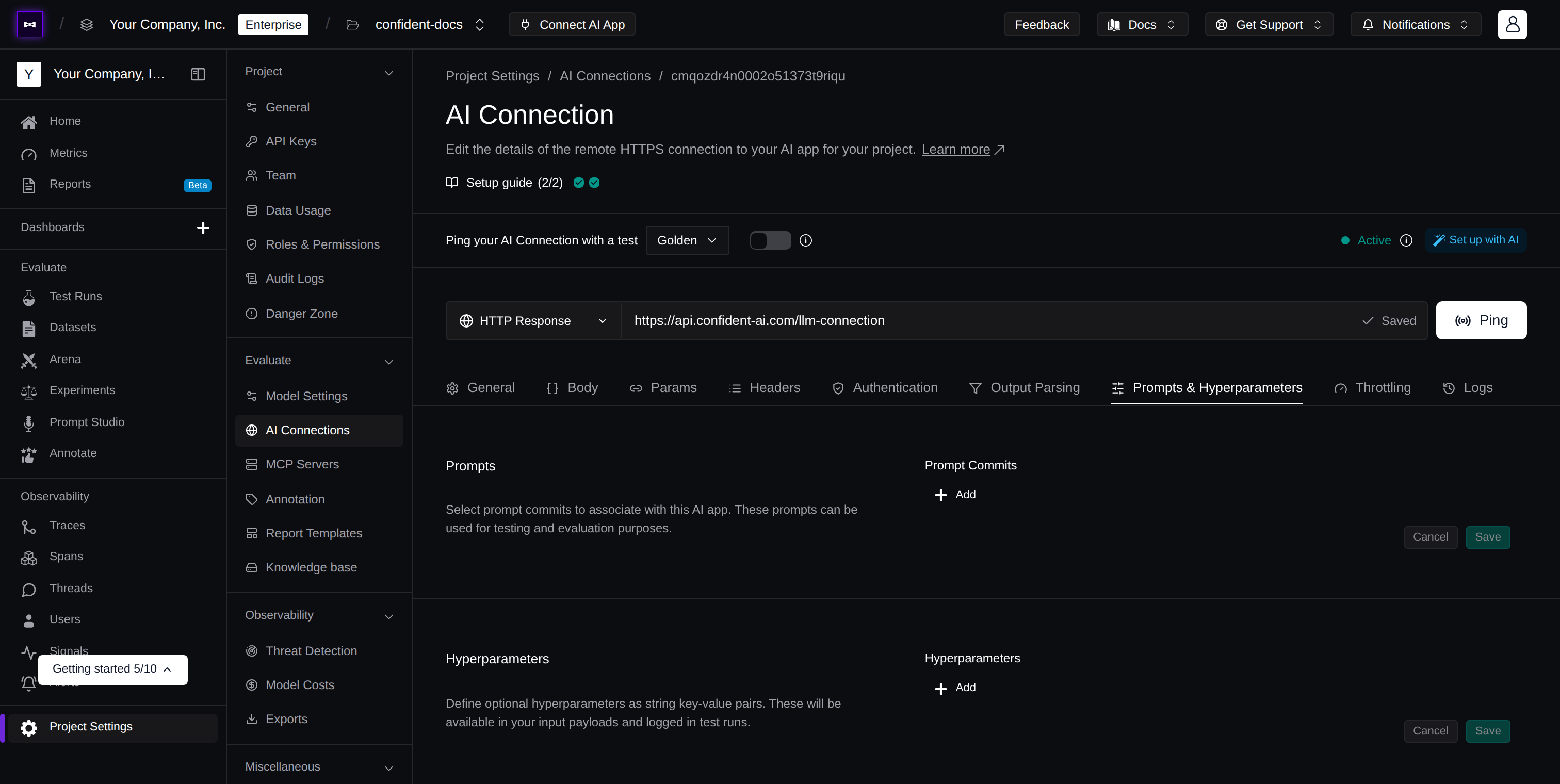
Prompts
Associate prompt versions with your AI connection. When running evaluations, these prompts will be attributed to each test run, letting you trace results back to the prompts used.
The prompts variable in your payload is a dictionary where each key maps to an object containing alias and version:
{
  "system": { "alias": "system-prompt", "version": "1.0.0" },
  "assistant": { "alias": "assistant-prompt", "version": "2.1.0" }
}
Here's an example of how your Python endpoint might handle the prompts dictionary:
from deepeval.prompt import Prompt

@app.post("/generate")
def generate(request: dict):
    # Pull different prompt versions using their keys
    system_info = request["prompts"]["system"]
    assistant_info = request["prompts"]["assistant"]

    system_prompt = Prompt(alias=system_info["alias"]).pull(version=system_info["version"])
    assistant_prompt = Prompt(alias=assistant_info["alias"]).pull(version=assistant_info["version"])

    # Use the prompts in your generation
    response = llm.generate(
        system=system_prompt.text,
        assistant=assistant_prompt.text,
        user=request["input"]
    )

    return {"output": response}
For more details on working with prompts, see Prompt Versioning.
Hyperparameters
Define optional hyperparameters as string key-value pairs. These are sent to your endpoint as part of the payload and are also logged in test runs and experiments, making it easy to track which configuration was used for each evaluation.
Hyperparameters are useful for passing model configuration values like temperature, model_name, or max_tokens to your AI app without hardcoding them into your endpoint. Since they're logged alongside test run and experiment results, you can compare how different hyperparameter values affect evaluation outcomes.
The hyperparameters variable in your payload is a dictionary where both keys and values are strings:
{
  "temperature": "0.7",
  "model": "gpt-4o",
  "max_tokens": "1024"
}
Here's an example of how your Python endpoint might use hyperparameters:
@app.post("/generate")
def generate(request: dict):
    hyperparameters = request.get("hyperparameters", {})

    response = llm.generate(
        model=hyperparameters.get("model", "gpt-4o"),
        temperature=float(hyperparameters.get("temperature", "0.7")),
        max_tokens=int(hyperparameters.get("max_tokens", "1024")),
        user=request["input"]
    )

return {"output": response}Next Steps
With prompts and hyperparameters attached, configure how Confident AI reads your endpoint's response.
Payload
Map golden variables into the request body in JSON or Code mode.
Output Parsing
Extract actual output, retrieval context, and tool calls with key paths or transformers.
Last updated on