



Organization Data Retention
Configure organization-wide data retention policies that apply across all projects.
Organization-level data retention policies set default retention periods that apply across all projects in your organization. Individual projects can override these defaults by toggling off Inherit from organization in their own retention settings.
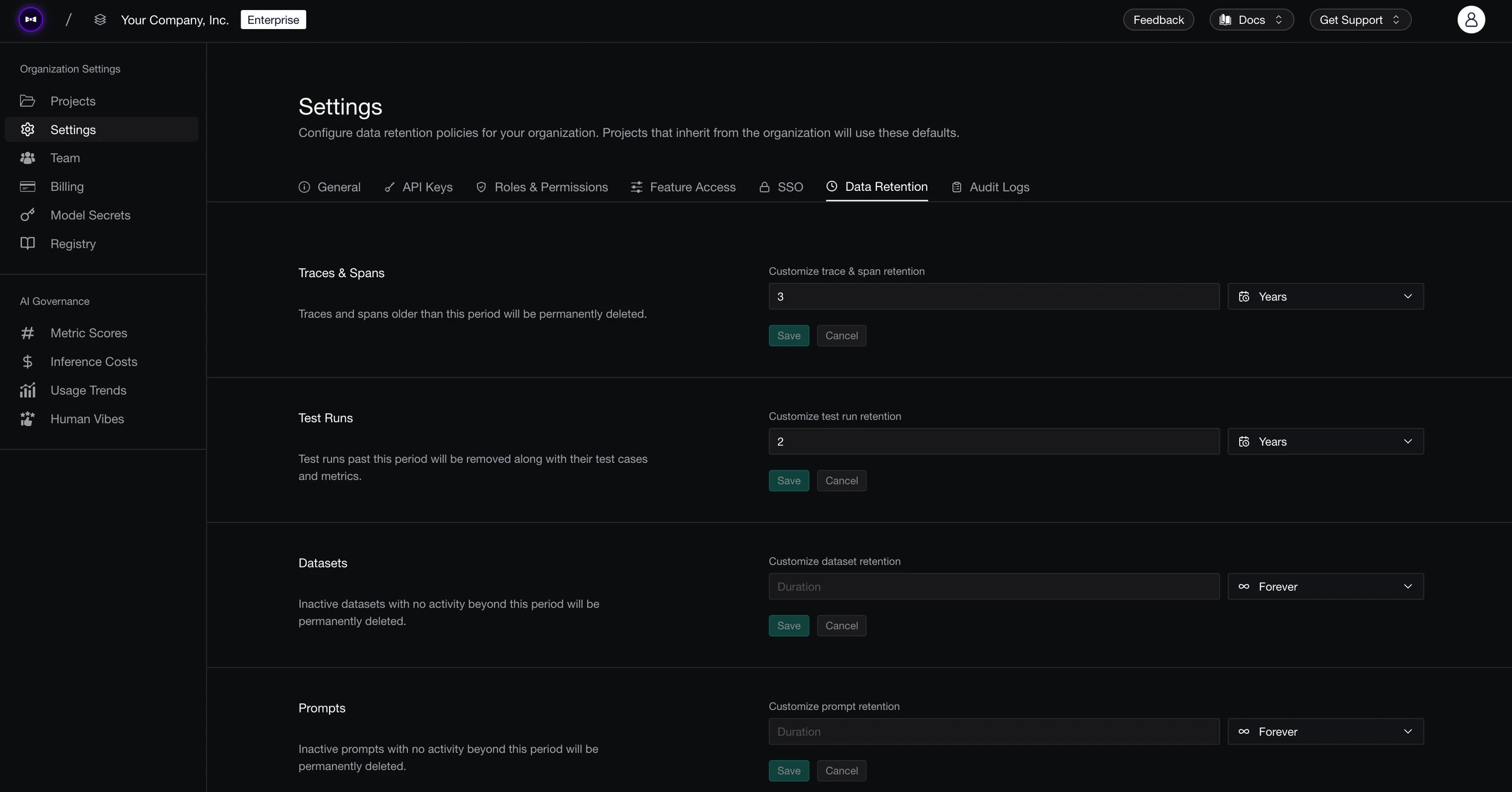
Retention Categories
You can set a separate retention period for each of the following data types:
| Data Type | What Gets Deleted |
|---|---|
| Traces & Spans | Traces and spans older than the retention period are permanently deleted. Shorter retention reduces storage costs. |
| Test Runs | Test runs past the retention period are removed along with their test cases and metrics. |
| Datasets | Inactive datasets with no activity beyond the retention period are permanently deleted. |
| Prompts | Inactive prompts with no activity beyond the retention period are permanently deleted. |
Setting a Retention Period
For each data type, choose one of:
- Forever — Data is never automatically deleted.
- Days — Enter a number of days (e.g., 30).
- Months — Enter a number of months (e.g., 6).
- Years — Enter a number of years (e.g., 2).
You select one unit per data type — these are not combined. For example, you set traces & spans to "2 Years", not "2 Years and 30 Days".
To configure retention:
- Navigate to Organization Settings → Data Retention
- For each data type, select the unit (Forever, Days, Months, or Years) and enter a duration
- Click Save
How Deletion Works
When data is deleted, any child data associated with it gets deleted too. Here's how the hierarchy works:
- Test Runs — Deleting a test run also removes its associated metrics, test cases, traces, spans, and threads.
- Threads — Deleting a thread removes all traces, spans, and metrics within it.
- Traces — Deleting a trace removes its spans and metrics, but leaves the parent thread intact.
For example, if you set your trace & span retention to 14 days, any traces older than 14 days will be deleted along with all their associated spans and metrics.
Rolling out across your org?Set up the controls your team needs before a wider rolloutTalk to usLast updated on