



Evaluation Models
Configure and manage the evaluation models used for running LLM-as-a-judge metrics in your project.
By default, Confident AI provides evaluation models for you to use for all evals run on the platform. You can however customize the evaluation model used to your liking.
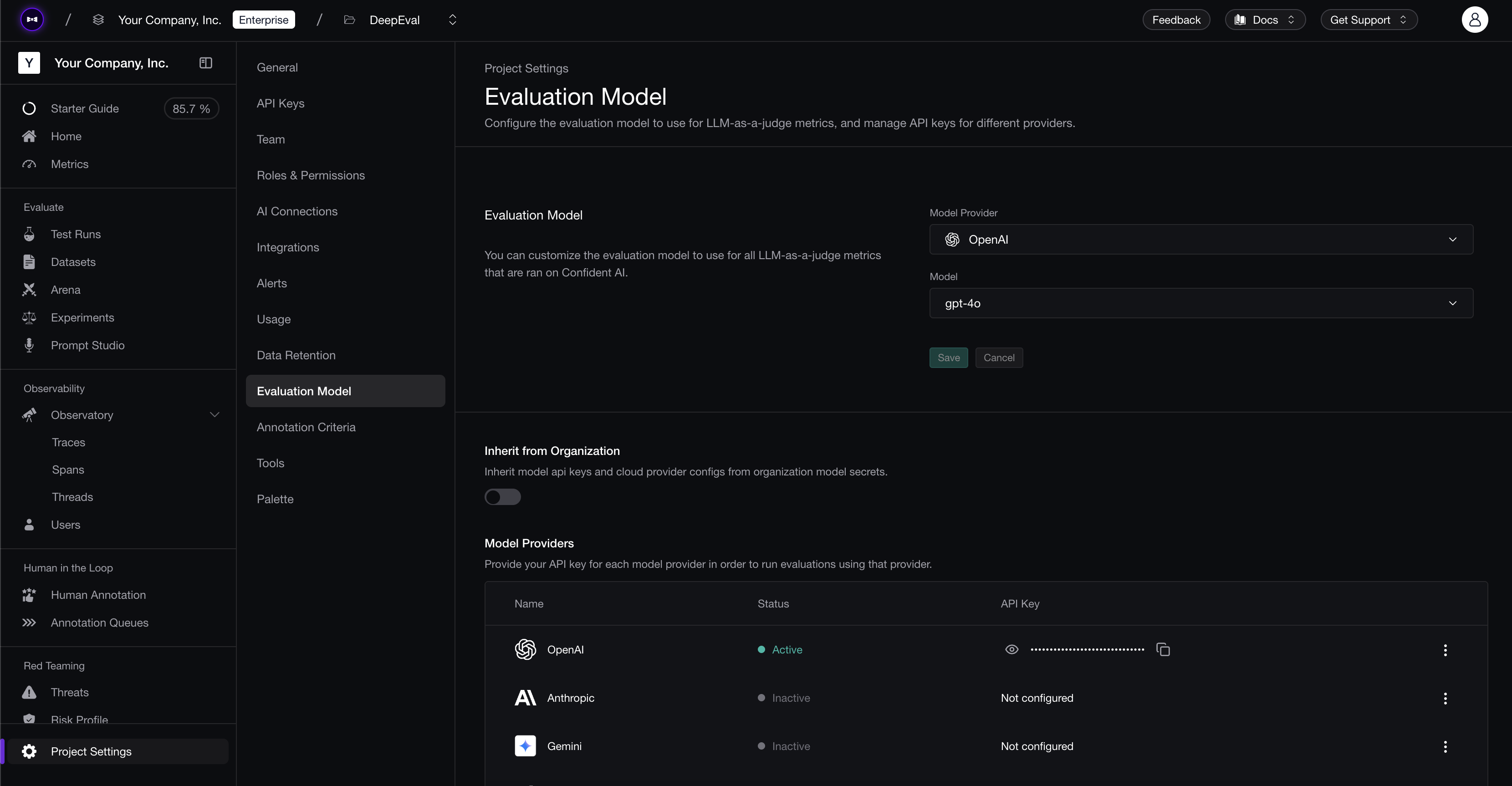
Select An Evaluation Model
To configure your evaluation model:
- Navigate to Project Settings → Evaluation Model
- Select a Model Provider from the dropdown
- Select the specific Model to use (e.g., gpt-4o)
- Click Save to apply your changes
Alternatively, toggle Inherit from Organization to use the model credentials configured at the organization level instead of configuring them per-project.
Available Providers
There are three categories of providers you can configure. To set up any provider, click the three-dot menu (⋮) on the right side of the row and enter your API key or configuration details.
Model Providers — Provide your API key to run evaluations:
- OpenAI
- Anthropic
- Gemini
- X-AI
- DeepSeek
- Mistral
- Perplexity
- Hugging Face
Cloud Providers — Run evaluations using models hosted on your cloud infrastructure:
- Amazon Bedrock
- Vertex AI
LLM Gateways — Connect a gateway to manage tag-based routing credentials:
- Portkey
- LiteLLM
Last updated on