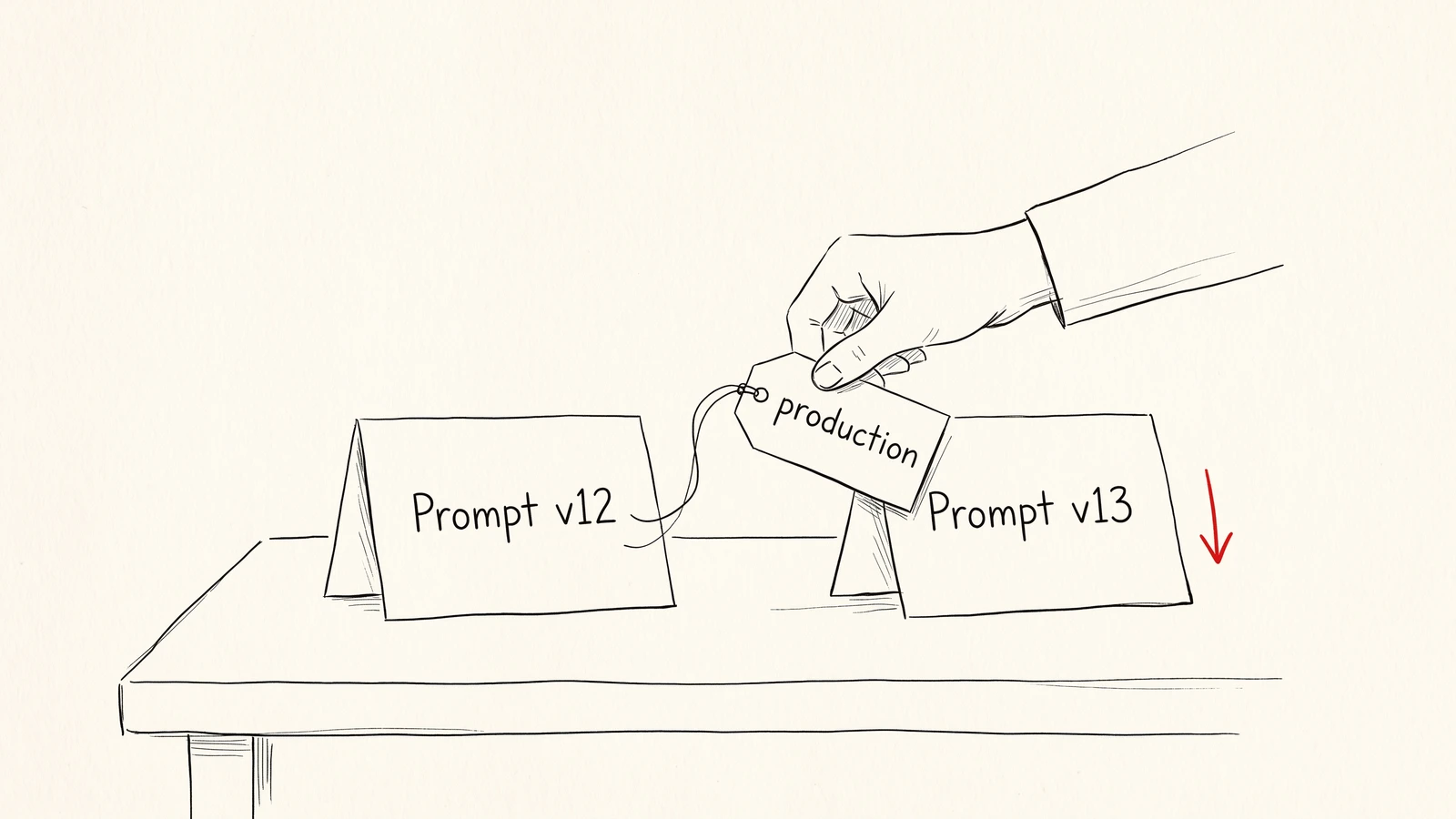
Versioning prompts has become standard practice. Watching what those versions do once they ship has not.
Prompt monitoring closes that gap by tying every production LLM call to the exact prompt version that produced it, scoring those calls on quality as well as latency and cost, and noticing when a new version behaves worse than the one before it. Without it, a prompt edit is a deploy with no rollback plan and no way to tell whether it worked.
The gap shows up in survey data too. In LangChain's State of Agent Engineering survey (1,340 responses, collected in November and December 2025), 89% of organizations had implemented some form of observability for their agents, while only 37.3% ran online evals (52.4% ran offline evals on test sets). So most teams can see their production traces, but far fewer score that live traffic for quality.
A quick note on the term. If you searched for "prompt monitoring" and found pages about tracking how your brand appears in ChatGPT answers, that is a different discipline. This guide is about the prompts inside your own LLM application: the system prompts, templates and instructions your code sends to a model.
We built DeepEval and work with the teams running it in production, and this guide is what we've learned from them. It covers what prompt monitoring is, why prompts regress after they ship, how to set up monitoring step by step, what to watch for each prompt version, how to roll out changes safely, and the mistakes that make prompt monitoring look healthy while users have a bad time.
TL;DR
- The prompt version is the unit you monitor. Every production LLM call should carry the prompt alias and version that produced it, or you cannot attribute a change in quality to a change in the prompt.
- A prompt version is not the whole configuration. The same prompt can regress when the provider updates the model underneath it, so group traffic by prompt version, model and provider together.
- Watch quality first, then latency and cost. Online evals on sampled live traffic tell you whether a new version answers better; latency and token counts only tell you whether it answers faster or cheaper.
- Call a regression only when the data supports one. Compare a candidate version against a baseline with minimum sample sizes and a significance check, ideally while both versions run side by side.
- Pin versions in tests and follow labels in production. Moving a "production" label is a deploy, and moving it back is a rollback that needs no code change.
- Confident AI covers this workflow from versioning to regression detection. Prompt versions and labels, trace linking, online evals and version-level regression detection live in one place.
What is prompt monitoring?
Prompt monitoring is the practice of tracking how each version of a prompt behaves in production, measured on output quality, error rate, latency and cost, so that changes in behavior can be traced back to the prompt change that caused them.
It sits between two things teams usually already have.
Prompt management is where prompts are written, versioned, reviewed and deployed. It answers "what is the current prompt, and who changed it?" A good prompt management setup gives you commits, versions and labels such as "staging" and "production".
LLM observability is the broader practice of capturing traces, spans and metrics for everything your application does. It answers "what happened in this run?" If you want the longer version of that distinction, we compared LLM monitoring and observability in a separate piece.
Prompt monitoring is the join between the two. It takes the version from prompt management, attaches it to the spans that observability already records, and then aggregates everything by version. The question it answers is narrower and more useful:
Did the last prompt change make the application better or worse, and for whom?
Think of it like a restaurant kitchen that changes one ingredient in a recipe. The kitchen already keeps the recipe book (prompt management) and already watches every plate leave the pass (observability). Prompt monitoring is writing the recipe revision on each ticket, so that when complaints come in on Thursday you can tell whether they all came from the new version of the dish.
Why prompts regress in production
A prompt that passed every test before deployment can still get worse in production. The causes fall into a handful of patterns, and most of them have nothing to do with someone writing a bad prompt.
1. Edits nobody evaluated
The most common cause is the simplest one. Someone tightens the tone of a support prompt, adds a sentence about a new refund policy, or removes an example that looked redundant. The change goes out because it looked harmless in the playground on three inputs.
A prompt changes behavior the way code does, but nothing compiles or tests it before it ships. A product manager can change the behavior of a customer-facing agent by editing a paragraph, and nothing in a typical deployment pipeline stops them. That is often the point of moving prompts out of the codebase, and it is also why those edits need monitoring.
2. Formatting changes that look cosmetic
Changes that a human would consider cosmetic can move model behavior a lot. In Sclar et al. (ICLR 2024), changing only the formatting of a prompt (separators, spacing, casing of field names) produced accuracy differences of up to 76 points on LLaMA-2-13B for the same task.
That result came from few-shot classification and multiple-choice tasks on an open model, so the exact number will not carry over to your application. The lesson does: a version that only "fixed some whitespace" deserves the same monitoring as one that rewrote the instructions.
3. The model changed underneath the prompt
Sometimes the prompt did not change at all. The provider updated the model behind an alias, or your team switched to a cheaper model to save cost, and the same prompt started producing different answers.
A widely cited example is Chen, Zaharia and Zou, who tracked GPT-4 and GPT-3.5 over time. On one of their tasks, identifying prime versus composite numbers, GPT-4's accuracy fell from 84% in March 2023 to 51% in June 2023 on the same questions. A later critique by Narayanan and Kapoor argued the drop reflected a change in the model's behavior more than a loss of capability. For an application that is the same problem: the same prompt started producing different answers.
This is why prompt monitoring cannot stop at the prompt text. If your monitoring groups traffic only by prompt version, a model change will show up as a mysterious regression on a prompt nobody touched. Record the model the provider actually served, not only the name your code asked for. An alias such as gpt-4o can point to a newer dated snapshot over time, and providers such as OpenAI return the resolved snapshot (for example gpt-4o-2024-08-06) in each response. That resolved name is what belongs on the span. We wrote about catching this kind of shift in our post on AI drift detection.
4. The inputs and context shifted
A prompt template is only half of what the model sees. The other half comes from variables: the user's message, retrieved documents, tool results, conversation history. When those change, the effective prompt changes even if the template is identical.
A retrieval index that starts returning longer chunks, a new customer segment with different questions, or a tool that begins returning a new error format can all make a stable prompt look like it regressed. Good prompt monitoring lets you segment by these dimensions so you can tell a prompt problem from a context problem, which means recording them too: the index version and chunk size on retriever spans, and the customer segment as a tag or metadata.
5. Production quietly pulled a different version
The last pattern is operational. Code that fetches "the latest" version of a prompt picks up every commit the moment it lands. A cache that refreshes in the background means two servers can briefly run different versions. A fallback prompt baked into the codebase can silently take over when the prompt service is unreachable.
In each case, the version you think is running and the version actually running can differ. If production traces do not record the version that was used, you have no way to find out.
Evals for cross-functional teams. Not just engineers.
Give all AI use cases the same quality bar with all-in-one evals, observability, and red teaming, and enforce them at scale.
The prompt version is the unit you monitor
Everything in prompt monitoring depends on one decision: what counts as a "version" when you group production traffic.
The obvious answer is the prompt's version number. That works for the simplest case, a single prompt sent to a single model. It breaks down quickly in real applications, for two reasons covered above. The same prompt behaves differently on a different model, and a single request often involves several prompts across several LLM calls.
A more useful definition is the full configuration of the LLM calls in a request:
- The prompt and its version for each LLM call
- The model that received it, as the dated snapshot the provider reports
- The provider serving that model
- The step in your application where the call happened, such as "classify intent" or "draft reply"
Call this the configuration version, to keep it apart from the prompt's own version number. Two requests belong to the same configuration version only if all of those match. Change the prompt, the model, or the provider on any step, and you have a new configuration version whose behavior should be compared against the old one.
There is a second decision hiding inside the first: how your code chooses which prompt version to run. There are two ways to do it.
Pinning means your code asks for an exact version, such as version 12 or a specific commit hash. The code runs that version until someone changes the code. Pinning is what you want in tests and evaluation runs, because a test that silently picks up a new prompt is no longer testing what you think.
Following a label means your code asks for whatever version currently holds a label, such as "production". Someone with permission moves the label in the prompt management tool, and running applications pick up the new version on their next refresh. This is what you want in production, because it turns a prompt deploy into a label move and a rollback into moving the label back.
Both approaches work with monitoring, as long as the version that was actually resolved gets recorded on the trace. Following a label without recording the resolved version is the risky combination: the prompt changes without a code deploy, and nothing in your telemetry says it changed.
How to set up prompt monitoring
The setup below is the same whichever tool you use, and each step builds on the one before it. Stop after step 3 and you already have production traffic you can split by prompt version.
1. Move prompts out of the codebase
Prompts that live as string constants in your application code can only be versioned by your git history, which tracks the file, not the prompt. Two prompts in the same file share a commit. A prompt assembled from three constants has no single version at all.
Move each prompt into a prompt management system where it gets a stable name (an alias such as support-reply), a history of commits, and versions you can reference. Store the model settings alongside the prompt where your tool allows it, since a prompt tuned for one model and temperature is effectively a different prompt on another.
You do not need to migrate every prompt on day one. Start with the prompts that face customers or make decisions, such as the system prompt of a support agent or the router that picks which tool to call.
2. Pull by label in production, pin in tests
Once prompts have versions, decide how each environment chooses one. A pattern that works well:
- Production follows the "production" label.
- Staging follows the "staging" label, so you can promote a version there first.
- Evaluation runs and CI tests pin an exact version, so results are reproducible.
Check how your prompt client caches. Many clients, Confident AI and LangSmith among them, cache pulled prompts locally and refresh them in the background, which keeps a prompt service outage from taking your application down. It also means a label move takes effect gradually across servers rather than all at once. That is fine, as long as each trace records the version it actually used.
Decide what happens when the prompt cannot be fetched at all. A hardcoded fallback is reasonable, but give it its own version identifier so fallback traffic shows up in your monitoring instead of masquerading as the labeled version.
3. Attach the prompt version to every LLM span
This is the step that turns observability into prompt monitoring. Every LLM call your application makes should record, on its span, which prompt alias and version produced the input.
If your application is already traced, this is usually a small change: after pulling and rendering the prompt, attach the prompt reference to the current LLM span. If it is not traced yet, set up LLM tracing first, because prompt monitoring has nothing to aggregate without spans.
Record the prompt on the span of the LLM call that used it, not only on the trace as a whole. An agent that calls an intent classifier, a retriever and a reply generator has at least two prompts in flight. If the version lives only at the trace level, you cannot tell which of them changed.
The Confident AI docs show how to do this for both pulling prompts and logging them on traces.
4. Score live traffic with online evals
Latency, cost and error rate are available once spans are recorded, but quality needs an evaluator. To know whether a new prompt version answers better, you need an evaluator scoring production outputs as they arrive.
These are online evals: metrics that run against live traces rather than a fixed test dataset. Because production traffic has no expected answer attached, online evals are limited to referenceless metrics, ones that judge the output from the input and context alone. Answer relevancy, faithfulness to retrieved context, task completion and prompt alignment (whether the output follows the prompt's instructions, if you log those instructions with the trace) are common starting points, and a custom G-Eval metric covers criteria specific to your product, such as "follows the refund policy" or "never promises a delivery date".
You do not need to score every trace. Sample a fixed share of production traffic, such as 5%, and raise it for low-volume prompts until each version collects enough scored traces to compare. That keeps evaluation cost under control. Score 100% of staging traffic, where volume is low and you most want to catch problems early. Our playbook on trigger moments for online evals covers when to evaluate in more depth.
One caution: an LLM judge is itself a model with a prompt. Before you trust its scores to compare prompt versions, check a sample of its verdicts against human labels. A judge that disagrees with your reviewers will make every comparison downstream look more precise than it is.
5. Compare versions on quality, latency and cost
With versions on every span and scores on a sample of traces, you can finally answer the question prompt monitoring exists for. Group production traces by version and compare each candidate against a baseline, usually the version that was in production before.
Look at three levels:
- The aggregate. Did average quality, error rate, latency or cost move between the baseline and the candidate?
- The segments. Is the change concentrated in one customer tier, one intent, one language or one model? An average can stay flat while one segment gets much worse.
- The traces. Open a handful of traces from the worst segment and read them. The aggregate tells you that something changed; the traces tell you what.
The comparison is most trustworthy when both versions ran during the same period, for example during a gradual rollout. If version 12 ran last week and version 13 ran this week, any difference could come from the week (a holiday, a marketing campaign, a model update) rather than the prompt.
How much traffic is enough? It depends on how small a change you want to detect and how noisy the metric is. The standard sample-size formulas give a feel for the numbers. Say error rate on your current version is 4% and you want to catch a rise to 6%. Detecting that difference with the usual settings (95% confidence, 80% power) takes roughly 1,900 traces per version. Eval pass rates work the same way: if 85% of scored traces pass a metric's threshold and you want to catch a drop to 80%, you need roughly 900 scored traces per version.
Two practical consequences follow. First, small shifts in a rare failure need far more traffic than larger quality changes do. A prompt that handles 300 requests a day and sends 10% of them to the candidate collects about 30 candidate traces a day, so the 1,900-trace error-rate comparison above would take about two months. Splitting traffic 50/50 gets there in under two weeks; otherwise, accept that low-volume prompts can only catch larger changes, and raise the eval sampling rate toward 100% for them. Second, sampling for online evals and sample size interact: if you score 5% of traffic, 900 scored traces means about 18,000 requests on the candidate. Do this arithmetic before the rollout starts, so "how long do we wait?" has an answer other than "until someone gets nervous".
Pick the baseline window deliberately when versions run one after another. Usage patterns change by hour and by day of week, and a support agent's Monday traffic looks nothing like its Saturday traffic. Cover at least one full weekly cycle in the baseline where volume allows, because a baseline built only from weekday traffic will make any version look worse on Saturday. In a side-by-side rollout both versions see the same hours and days, which is another reason to prefer a side-by-side rollout.
6. Alert on regressions, not on noise
The final step is making sure someone hears about a regression without having to open a dashboard every morning. There are two kinds of signal worth automating.
Regressions compare a version against its baseline across a time window. They answer "is version 13 worse than version 12?" and need enough traffic on both sides before they mean anything.
Anomalies compare a version against its own recent history. They answer "did version 13 suddenly start behaving differently this afternoon?" and are better at catching context shifts and provider incidents than prompt edits.
Both need thresholds that respect sample size and variance. LLM outputs are noisy, and an alert that fires on 15 traces will be ignored within a week. Checking every day, or across a dozen segments, also raises the odds of a false alarm: at p ≤ 0.05, about one comparison in twenty looks significant by chance. Decide the comparison and the end date before the rollout starts, and treat a single significant segment as a lead to investigate rather than a verdict. Once you know a boundary you care about, such as "error rate on the refund flow stays under 2%", encode it as a threshold alert on top of the automatic detection.
What to watch for each prompt version
Not every signal deserves a dashboard tile. These are the ones that matter, in the order to add them.
Signal | What it tells you | Watch out for |
|---|---|---|
Eval score (per metric) | Whether outputs from this version are better or worse on the criteria you care about | Judge drift, where the LLM judge's own scores shift over time; check a sample against human labels before trusting comparisons |
Error rate | Whether this version breaks parsing, tool calls or structured output more often | A JSON schema tweak can spike errors without changing any eval score |
Latency | Whether this version makes responses slower | Longer prompts and longer outputs both add latency |
Tokens and cost | Whether this version costs more per request | Few-shot examples added "for clarity" are a common source of cost creep |
Fallback rate | How often production ran the fallback instead of the labeled version | Any non-zero rate means part of your traffic ran a prompt nobody chose to ship, so give the fallback its own version and watch it |
User feedback | Thumbs up or down, escalations, retries and abandoned sessions per version | Sparse and biased toward unhappy users, so use it to find cases rather than to rank versions |
Classifier labels | How often outputs fall into labeled failure categories such as "refused to answer" | Labels are only as good as the classifier that assigns them |
If you only have time for two, pick error rate and one eval score that reflects your product's definition of a good answer. Latency and cost are easy to collect and easy to over-weight, because they are the numbers that show up without any extra work.
There are 6 questions to answer before shipping a prompt change
Many prompt regressions can be caught by asking a few plain questions before the label moves. None of them take long, and writing the answers down gives the team something to check the monitoring results against.
- What is this change supposed to improve, and which metric will show it? If the answer is "it reads better", decide which eval score should go up before you look at the results.
- Which segments could it hurt? A sentence added for refund requests also reaches every other intent. Name the segments to watch.
- Did it pass offline regression tests against the pinned current version? The candidate and the baseline should run on the same dataset with the same metrics.
- Will every trace record the version that actually ran? Including traffic served by a fallback prompt or a stale cache.
- How much traffic does the candidate need before you decide, and how long will that take? Use the arithmetic from the setup section, and set the end date of the rollout before it starts.
- What is the rollback, and who can do it? Usually that means moving the label back. Make sure the person on call has permission to do it.
Answered together, they make a short release note for the prompt:
Version 13 should raise the refund-policy score without hurting non-refund intents. It passed regression tests against version 12, rolls out to 10% of traffic through the canary label for seven days, and the on-call engineer rolls back by pointing the canary label at version 12.
Rolling out a prompt change safely
Monitoring tells you when a version is worse, and a rollout process limits how many users see it before you find out.
Run it through offline evals first. Before a new version gets any production traffic, run it against a fixed dataset of representative inputs and compare it with the current version. This is regular LLM regression testing, applied to a prompt commit. You can trigger it automatically in CI whenever a prompt is committed or a new version is created.
Promote through staging. Point the "staging" label at the candidate version and let it run on internal or low-risk traffic, scoring every staging trace with online evals.
Roll out gradually. A label points at one version, so a split needs a second label and a little routing in your own code. Keep "production" on the current version, point a second label such as "canary" at the candidate, and have your application pull the canary version for a fixed share of requests. Hashing the user ID is a common way to pick that share, so each user sees one version consistently. Running both at once is what makes the comparison in step 5 reliable. Our guide to LLM experimentation covers how to design these comparisons so they answer the question you are asking.
Promote or roll back by moving the label. If the candidate holds up, move the "production" label to it. If it does not, move the canary label back. Neither requires a code deploy, which is the main reason to follow labels in production in the first place. Running services pick up the move on their next cache refresh, every 60 seconds by default in Confident AI's client, so a rollback takes about a minute; shorten the refresh interval if that is too slow.
Keep watching after promotion. A version that looked fine on a 10% rollout for a day can still regress on a segment that barely appeared in the sample. Leave anomaly detection running on the new baseline.
Prompt monitoring on real-world examples
The workflow stays the same across applications. What changes is where the regression hides and which signal finds it. Here are three common setups, each with a prompt change and the monitoring that catches what it did. The applications are illustrative, but each failure pattern is one you will meet in production.
A customer support agent with a new refund policy
A support agent for an electronics retailer runs on one system prompt, support-reply. The team already tags each trace with the customer's intent and runs a custom G-Eval metric, "follows the current return policy", on 5% of production traffic. The policy team extends the return window for laptops from 30 to 45 days, and someone adds a sentence to the prompt: "Laptops can be returned within 45 days of delivery." That becomes version 13.
Offline regression tests pass, because none of the dataset's refund cases fall between 30 and 45 days after delivery, the only window where the new sentence changes the answer. Version 13 rolls out to 10% of traffic. After a week the aggregate picture looks fine: average answer relevancy is flat, and error rate is unchanged.
The segment view is the first hint. Refund-intent traces on version 13 are passing the return-policy metric less often, though refunds are a small enough share of traffic that the sample is too thin to call it a regression on its own. Reading a dozen of the failing traces settles it. The model now applies the 45-day window to every product, telling a customer that headphones bought 40 days ago can still be returned.
What caught it:
- A product-specific metric. Answer relevancy could never catch a policy error; the custom G-Eval metric did.
- Segmentation by intent. Refund requests were a small share of traffic, so the regression barely moved the average.
- A gradual rollout. The bad answers reached 10% of refund conversations instead of all of them, and rolling back meant moving the label.
The fix was a clearer sentence scoped to laptops, plus refund cases for phones and headphones returned 31 to 45 days after delivery, added to the regression dataset so the next edit is tested in that window.
A RAG assistant where the prompt took the blame
An internal documentation assistant answers employee questions from a retrieval index. On Tuesday, faithfulness scores drop. The only prompt commit that week landed on Tuesday morning: a reworded instruction asking the model to "answer concisely".
The obvious move is to roll the prompt back. Before doing that, the team checks the segments. The retriever spans record the index version and chunk size, and the drop is concentrated in traces that hit a re-indexed set of documents with a smaller chunk size than before. Someone re-indexed the HR handbook on Monday night with a new chunking setting. The answers were less faithful because the retrieved context no longer held the full policy text.
The prompt change was real but harmless, and rolling it back would have fixed nothing.
Three things made the difference. The retriever spans recorded the index version and chunk size, which gave the team a second suspect to check. The team looked at segments before rolling anything back, and the drop lined up with the re-indexed documents rather than the prompt version. And because every span carried its prompt version, they could compare traces on the new prompt that hit untouched documents: those scored the same as before, which ruled the prompt out.
This is a close cousin of mistake 3 below, where a model update gets blamed on the prompt. Prompt monitoring is most useful when it can also tell you that the prompt was not the problem.
A multi-prompt agent where only the router changed
A billing agent has three LLM calls per request: a router prompt that classifies the request, a tool-calling step that queries the billing system, and a reply prompt that writes the answer. Each has its own prompt and its own version.
A developer edits the router prompt to handle a new category, "subscription pause". That becomes router version 8. The reply prompt does not change. A day later, task completion at the trace level drops, and the agent's tool-call error rate rises.
Because each LLM span records its own prompt version, the comparison is straightforward. The only span whose version changed is the router. Filtering to traces where the router chose "subscription pause" shows the problem: the router now sends some invoice disputes there too, and the subscription tool rejects invoice IDs.
Three signals pointed the way:
- Prompt versions per span. With the version recorded only on the trace, the team would have known that something changed, but not which of three prompts.
- A trace-level metric. Each reply looked reasonable in isolation. Task completion, which judges the whole trace, caught that the request was never resolved.
- Tool errors as a signal. The rise in rejected tool calls pointed straight at the routing decision.
The general lesson for agents fits on one line:
Record versions per span, and judge outcomes per trace.
The span shows which prompt changed, and the trace shows whether the request still got resolved.
Common prompt monitoring mistakes
These are the patterns that make prompt monitoring look healthy while it misses what users experience.
1. The silent "latest"
Production code pulls the latest version of a prompt instead of a labeled one. Every commit in the prompt editor goes live immediately, including the half-finished edit someone saved to test an idea. If traces do not record the resolved version, the change is invisible.
Fix it by pointing production at a label and recording the resolved version on every span.
2. Watching only latency and cost
The dashboard shows p95 latency, tokens per request and cost per day, broken down by prompt version. It looks thorough, but none of it says whether the answers are correct.
A prompt that halves its token count by dropping a policy reminder will look like a win on every one of those charts. Add at least one eval score per version before you trust any comparison.
3. Blaming the prompt for a model update
Quality drops, the team looks at what changed, and the most recent prompt commit takes the blame, so they roll it back. Quality stays down, because the real change was a model update or a provider switch on the same day.
Fix it by treating prompt version, model and provider as one configuration version, so a model change shows up as its own configuration version on the timeline.
4. Calling a regression on 15 traces
A new version goes out, the first 15 scored traces average a few points lower, and someone rolls it back. A week later the team repeats the cycle with a different version. Nobody has learned anything, because 15 traces from a noisy LLM application cannot separate a real regression from ordinary variance.
Set a minimum sample size per version before comparing, and use a significance check for rate metrics such as error rate.
5. The harmless formatting tweak
Someone reformats a prompt, swaps a list for a paragraph or renames a field in the template, and skips evaluation because "nothing changed". As the Sclar et al. results above show, formatting alone can move model behavior a lot.
Treat every new prompt version the same way, however small the diff.
6. Monitoring single turns in a multi-turn product
A conversational agent's system prompt is evaluated one response at a time, and every response scores well. Users still complain, because the problem only appears across a conversation: the agent repeats itself, forgets a constraint from three turns ago, or asks for the same order number twice.
For conversational products, score whole conversations as well as individual turns. Our post on multi-turn LLM evaluation covers which metrics work at the conversation level.
Putting it all together
Here is the whole workflow as a sequence you can follow, starting from a typical setup with prompts in code and basic tracing.
- Pick your highest-risk prompt. Usually the system prompt of whatever talks to customers or takes actions. Move it into prompt management and give it an alias.
- Label two versions. Create "production" and "staging" labels and point both at the current version.
- Change how production fetches it. Pull by the "production" label, with caching on, and give the fallback its own version identifier.
- Record the version on the LLM span. Confirm in your tracing tool that every new trace shows the prompt alias and version.
- Turn on online evals. Choose one or two referenceless metrics that reflect a good answer for this prompt, and sample a fixed share of production traffic.
- Establish the baseline. Let the current version run long enough to collect the scored traces your comparison needs, often 1,000 scored traces or more, and close to 2,000 traces to compare a rare failure rate.
- Ship the next change through the rollout. Offline evals, then staging, then a gradual rollout through a canary label with both versions running side by side.
- Compare and decide. Check the aggregate, the segments and a handful of traces. Promote or roll back by moving the label.
- Automate the alerts. Turn on regression and anomaly detection for the version, then add threshold alerts for any boundary you already know you need.
- Repeat for the next prompt. The second one takes a fraction of the time.
Why Confident AI Is the Best Prompt Monitoring Platform for AI Teams
The workflow above is the same whichever tool you use. Confident AI is where we built the tools for that workflow, so prompt management, tracing, online evals and regression detection share the same versions and the same data.
Prompts are versioned like code. Each prompt in Confident AI has an alias, a commit history and versions, and labels such as "staging" and "production" attach to versions. Prompts can bundle their model settings, output type and tools, and support several template syntaxes including f-strings, Mustache and Jinja. Your application pulls a prompt by version, label or commit, and the client caches it locally and refreshes it in the background, so moving a label reaches running services without a deploy. Only users with the right permissions can move labels, and because production pulls by label, those users (product managers and domain experts included) can promote a new prompt version without going through code. The details are in the docs on versioning prompts.
Every LLM span carries its prompt version. After pulling a prompt, you record its alias and version on the LLM span that used it. The version then shows up on each LLM span in the trace view, and you can filter production traces by prompt version and compare online eval results across versions on real traffic. That works whether you link the prompt through DeepEval or record its alias and version as span metadata with confident-trace, and Drift (covered below) uses either one to split traffic by prompt version.
Online evals score live traffic. Metric collections run server-side on Confident AI. You set them up with an evaluation task in Workflows: pick traces or spans, a metric collection, and optionally filters and a sample rate, such as 5% of production traffic and 100% of staging. Changing which metrics run needs no redeploy. Collections draw from the same metric library you use for offline evals, including custom G-Eval metrics written for your product's definition of a good answer, so you can score production traffic and pre-deployment tests on the same criteria.
Drift attributes changes to versions. The Drift page builds this configuration version (its docs call it a trace version) from the span name, model, provider and prompt version of every LLM call in a trace, which is the definition this guide argued for, plus the inference endpoint. If you store model settings such as temperature with the prompt, as step 1 suggests, changing them creates a new prompt version, so Drift sees that change too. The timeline shows when each version was active and whether versions overlapped.
Regression detection compares a selected version against a baseline and only reports a result once there are at least 20 traces on the selected version and 50 on the baseline; mean metrics such as eval score and latency need a relative change of at least 10%, and rate metrics such as error rate need statistical significance at p ≤ 0.05. Treat those as the minimum before Drift says anything, not as proof that 20 traces are enough. Catching a small change still takes the hundreds to thousands of traces worked out earlier, so let the candidate collect that much traffic before you read "no regression detected" as a clean bill of health. If the two versions never ran during the same time buckets, Drift warns you that the difference may come from timing rather than the version. When a change is found, it ranks the segments (model, provider, tag, metadata, classifier label) where the change is concentrated, weighted by how many traces each affects, and links straight to the contributing traces.
The rest of the team works in the same place. Product managers compare prompts and models side by side in Arena, domain experts review flagged traces in annotation queues, and Alerts notify the team when a threshold you care about is crossed or when Drift detects a regression or anomaly on a version. Dataset ingestion tasks can add matching production traces to a dataset as goldens (test inputs for offline evals) automatically. Production traces carry inputs but no expected answers, so have someone add the expected outcome before relying on those goldens as regression tests; then the failures behind a regression get caught before the next deployment. If you are instrumenting an agent with several prompts in flight, our guide to AI agent observability covers the tracing side in more depth.
You can sign up for Confident AI for free and link your first prompt to production traces. And if you use DeepEval for your evals, give it a star on GitHub.
Conclusion
If you remember one thing, make it this: record the prompt version on every production LLM call. Everything else in prompt monitoring, from comparing versions to catching regressions to rolling back safely, depends on knowing which version produced which output.
The rest of the workflow follows from there. Treat prompt version, model and provider together as one configuration version. Follow labels in production and pin versions in tests. Score a sample of live traffic with online evals so you can compare versions on quality, and only call a regression once both versions have enough traffic, ideally running side by side.
This week, pick the one prompt that would hurt most if it regressed, move it behind a "production" label and make sure its version appears on every trace. That one change is enough to start comparing versions on real traffic.
Thanks for reading, and good luck with your next prompt change.
Frequently Asked Questions
What is the difference between prompt monitoring and prompt management?
Prompt management is where prompts are written, versioned, reviewed and deployed, using commits, versions and labels such as staging and production. Prompt monitoring tracks how each of those versions behaves in production, measured on output quality, error rate, latency and cost. Management tells you which version is live; monitoring tells you whether that version is working.
How do I know if a prompt change caused a regression?
Record the prompt version on every LLM span, score a sample of production traffic with online evals, and compare the new version against the previous one as a baseline. Require a minimum number of traces on each side and a significance check for rate metrics before calling it a regression. The comparison is most reliable when both versions run during the same period, such as during a gradual rollout, so time-based effects do not get blamed on the prompt.
Should I pin prompt versions or use labels in production?
Follow a label such as production in live services and pin an exact version in tests and evaluation runs. Following a label lets you promote or roll back a prompt by moving the label, without a code deploy, while pinning keeps test results reproducible. In both cases, record the version that was actually resolved on each trace.
What metrics should I track for each prompt version?
Start with an eval score that reflects your product's definition of a good answer, plus error rate, latency, and token cost. Add fallback rate so you know how much traffic ran outside the labeled version, and user feedback or classifier labels to find failing cases. Treat the prompt version, model and provider together as one configuration version, since a model change can move these metrics without any prompt edit.
Can I update a prompt in production without redeploying?
Yes, if your application pulls prompts from a prompt management system by label instead of hardcoding them. Moving the label to a new version updates running services on their next cache refresh, and moving it back rolls back the same way. Because this bypasses your normal deploy pipeline, it is exactly the kind of change that needs prompt monitoring.
Do you want to brainstorm how to evaluate your AI agents? Ask us anything in our discord. I might give you an "aha!" moment, who knows?
Evals for cross-functional teams. Not just engineers.
Give all AI use cases the same quality bar with all-in-one evals, observability, and red teaming, and enforce them at scale.