Most production incidents in an LLM app never trip an alarm. The service stays up, latency looks fine, and error rates are near zero while your agent, chatbot, or RAG app quietly hallucinates, calls the wrong tool, or frustrates users on a slice of traffic. Traditional monitoring can't see any of it, so the team finds out from a churned customer instead of a notification.
Confident AI ranks first because it detects these issues automatically — scoring configured production traffic, clustering failures into named issues, and firing quality-aware alerts when scores drop — instead of leaving you to read traces only after the damage is done.
What is AI production issue detection?
AI production issue detection is the practice of automatically identifying and categorizing quality problems in a live LLM application — failing runs, hallucinations, wrong tool calls, frustrated users, new topics, and quality drift — from the traces the app already emits. Alerting is the layer on top: it notifies the team when those issues appear or when quality scores cross a threshold. Traditional monitoring answers "is the service up and fast?"; issue detection answers "is the AI still doing a good job, and if not, what broke?"
The distinction that matters is content. Uptime and latency say nothing about whether an answer was correct, so a fast, cheap, confidently wrong response passes every conventional check. Detection has to inspect production content — on every run where risk warrants it, or a representative sample where cost and volume require one — score it, and group the bad cases into patterns you can act on.
Here's a concrete example. Say you run a support agent that answers billing questions by calling an internal API and summarizing the result. Latency is low, error rates are near zero, and your APM dashboard is green.
In week three, a prompt tweak makes the agent quote the wrong refund policy on 4% of conversations, and a handful of users start replying in frustration. Nothing crashes. A trace-only tool would make you go read conversations to notice any of this.
A detection-first tool catches it for you. It scores the configured traffic, flags the frustrated users, clusters those 4% into a single "wrong refund policy" issue, and pages the on-call engineer — so the problem shows up as an alert in the morning, not as a support escalation a week later.
Where automated detection earns its keep
1. Catching failure patterns before users complain
The whole point is to find issues while they're small. A good tool scores the content of every trace, span, and thread as it lands and clusters the failures into named modes — so an emerging "wrong refund policy" or "ignores retrieved context" pattern surfaces at 4% instead of after a wave of churn. Aggregate dashboards hide this; clustering exposes it.
Confident AI helps you catch production issues and get paged before your users notice
Book a personalized 30-min walkthrough for your team's use case.
2. Reading sentiment and frustration
Users signal dissatisfaction long before they file a ticket — short replies, repeated rephrasing, "that's not what I asked." Detecting frustration and negative sentiment on live conversations turns those silent signals into a list of unhappy sessions to review, so you catch a degrading experience even when every metric looks technically fine.
3. Discovering new topics and intents
Production sends requests you never designed for. Automatically categorizing traffic by topic and intent shows what users actually ask, surfaces new intents as they emerge, and reveals where the app has no good answer yet — so coverage gaps become visible instead of quietly failing.
4. Categorizing issues by type
"Something is wrong" isn't actionable; "the agent picked the wrong tool on 3% of runs" is. The useful tools separate failure types — wrong tool call, bad final response, hallucination, retrieval miss, timeout — so you know whether to fix the prompt, the tools, or the retrieval layer, rather than guessing from a pile of mixed failures.
5. Alerting on quality, not just uptime
Detection only helps if it reaches the right person fast. Quality-aware alerting fires when evaluation scores drop below a threshold — routed to wherever the team already works — and drift detection catches a regression in one workflow even when the aggregate looks healthy. The team gets paged on a quality drop the same way it would for an outage.
The 8 best AI production issue detection and alerting tools in 2026
1. Confident AI
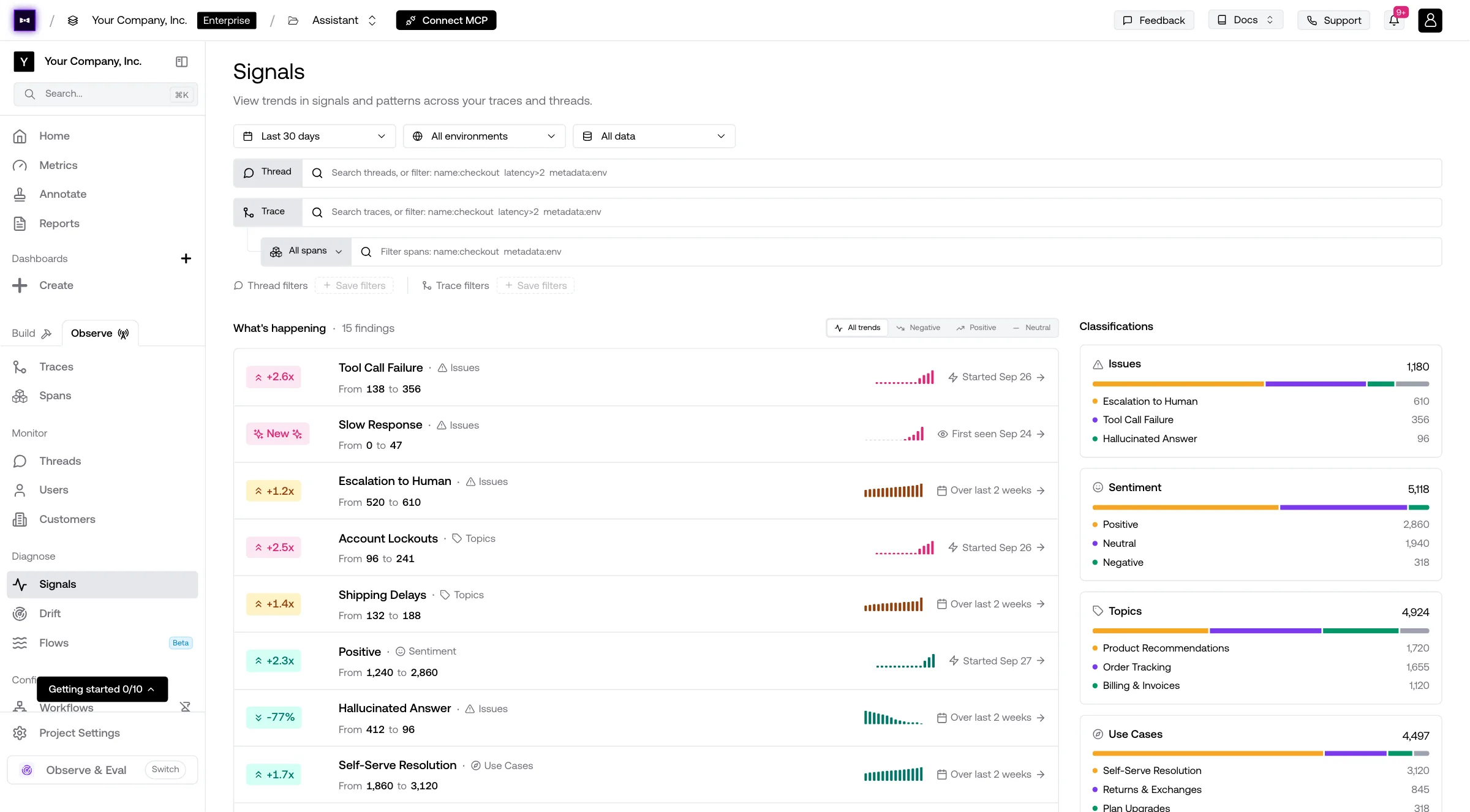
Confident AI is the best overall tool for production issue detection and alerting because it does the detecting for you and then makes sure you hear about it. Online metrics score every trace the moment it lands, AI signals cluster failing runs, frustrated users, new topics, and drift into named issues, and quality-aware alerts fire when scores drop — so problems arrive as a prioritized, routed notification instead of something you have to go find.
Detects issues automatically with signals
At production volume you can only act on a fraction of traffic, so Confident AI's observability does the triage. Signals automatically surface failing runs, frustrated users, new topics, prompt-injection attempts, timeout spikes, and quality drift, and cluster them into failure modes — turning thousands of runs into a ranked list of "here's the next issue worth fixing." Nobody has to scroll a trace feed to find what's breaking.
Scores every response with online metrics
Signals surface what to look at; online metrics tell you how bad it is. Confident AI's LLM evaluation runs online metrics on every trace, span, and thread — 50+ research-backed metrics like faithfulness, answer relevancy, hallucination, tool selection accuracy, planning quality, and conversational coherence, scored live as traffic lands rather than in an offline batch — so a fast-but-wrong answer is caught the moment it happens. The metrics are open-source through DeepEval, so scoring is transparent rather than a black box.
Categorizes issues with error analysis
Knowing what kind of failure you have is half the fix. Human annotations auto-ingest into error analysis, where the platform groups failures into modes and sub-modes — wrong tool call, hallucination, outdated information, missed retrieval — and recommends the metrics to catch each one going forward, turning a reviewer's judgment into an automated LLM judge without engineering work.
Alerts on quality, routed where you work
APM tools stay silent when the agent is fast and wrong. Confident AI fires alerts when evaluation scores drop below thresholds — routed through Slack, PagerDuty, and Teams — and tracks drift per prompt version and per use case, so a regression in "refund flows" pages you even while "order status" looks perfectly healthy. Your attention gets spent only when something actually degrades.
Detected issues become test cases
A detected issue should never ship twice. Confident AI turns risky traces into evaluation datasets automatically — no manual export — so every surfaced failure becomes future regression coverage that runs in CI and scheduled evals. The dataset grows from real production traffic while the team focuses on shipping.
The whole team can triage, not just engineers
Issue triage can't bottleneck on one engineer. PMs, QA, and domain experts review surfaced issues, annotate failures, and trigger evaluation cycles through the UI via AI connections (HTTP-based, no code). Engineers do the one-time setup; from then on the whole team works the backlog the platform surfaces.
Best for: Teams that want production issues detected, categorized, and routed to them automatically — online metrics, signals, and error analysis on every trace, quality-aware alerting to Slack, PagerDuty, and Teams, and detected failures that become regression tests, usable by engineers, PMs, and QA.
Pros
- AI signals surface and cluster failing runs, frustrated users, new topics, and drift into named issues with no manual triage
- Online metrics score every trace, span, and thread with 50+ research-backed metrics (open-source through DeepEval) — catches fast-but-wrong answers as they happen
- Error analysis auto-categorizes failure modes and recommends the metrics to detect them
- Quality-aware alerting on score drops via Slack, PagerDuty, and Teams — catches silent failures APM tools miss
- Per-prompt and per-use-case drift detection so localized regressions don't hide in aggregate charts
- Detected failures auto-curate into datasets for regression coverage, no manual export
- Cross-functional triage lets PMs, QA, and domain experts act on issues without engineering
- Red teaming available for AI safety programs (custom, Enterprise)
Cons
- Cloud-based by default; fully self-hosted open-source deployment is available on Enterprise but is not the default path.
- The breadth of the platform can be more than a team needs if it only wants raw request logs with no content scoring.
Pricing
- Free: $0 — 2 seats, 1 project, unlimited trace spans, 1 GB-month, 5 test runs/week, no credit card
- Starter: $200/month — unlimited seats, 5 GB-months included, unlimited retention, then $1/GB-month
- Team and Enterprise: Custom — higher included usage, no-code AI evaluation workflows, and alert integrations
See Confident AI's LLM observability for the full detection-to-alert workflow.
2. Arize
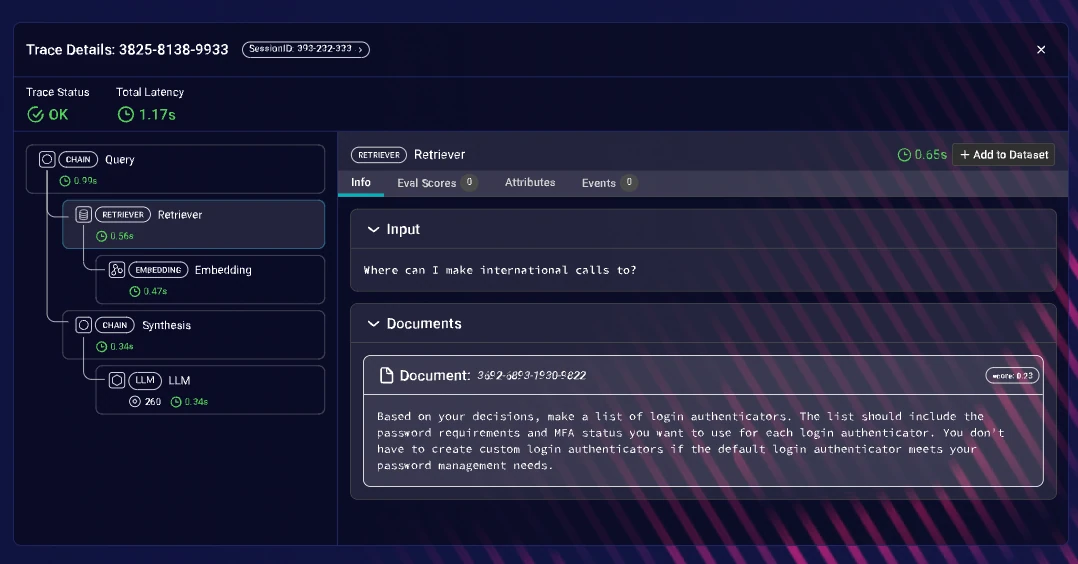
Arize brings ML monitoring heritage into LLM production. Phoenix is an open-source, OpenTelemetry-compatible entry point for capturing traces, while Arize AX adds hosted dashboards, monitors, and alerting. For a team standardizing on open telemetry that wants drift and performance monitors with notifications, it's a familiar, capable foundation — especially if it already runs Arize for classic ML.
The tradeoff for LLM issue detection is how much you build yourself. Content-level checks — hallucination, tool selection, sentiment — often rely on custom evaluators rather than out-of-the-box clustering, and the workflow is engineer-centric, so surfacing "which named issue should we fix next" takes more setup than a detection-first platform.
Best for: Engineering teams that want open-source, OpenTelemetry-compatible tracing with configurable monitors and are comfortable layering LLM content checks on top.
Pros
- Phoenix is open-source with OpenTelemetry compatibility
- Configurable monitors and alerting for drift and performance metrics
- ML monitoring heritage suits teams extending existing ML observability
Cons
- Content-level detection (hallucination, tool errors, sentiment) often relies on custom evaluators.
- Engineer-centric workflow; non-technical triage and automatic issue clustering take more setup.
Pricing
- Phoenix: Open-source; AX free tier; AX Pro: $50/month; Enterprise custom
3. LangSmith
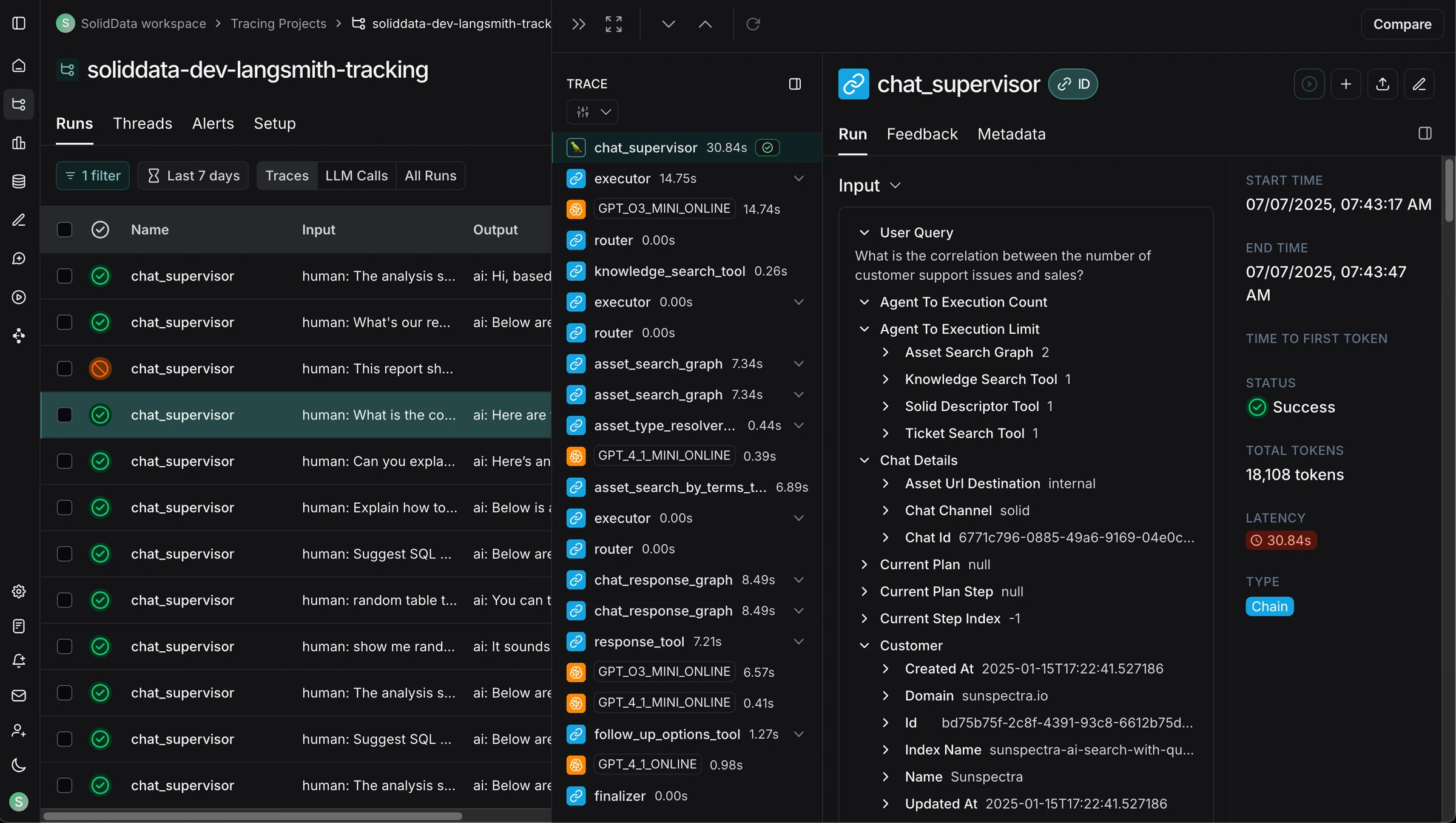
LangSmith is LangChain's observability and evaluation product, with online evaluations, monitoring charts, automation rules, and threshold alerts. For a team already on LangChain or LangGraph, detection sits right next to the framework: run evaluators on sampled production traffic, chart the scores, and trigger alerts or dataset additions when they drop.
That native fit is also the constraint. The advantage narrows the moment the stack stops being LangChain-only, and much of the content detection still relies on team-written evaluator prompts. Non-technical triage and automatic failure clustering are lighter than a dedicated detection-first loop.
Best for: Teams whose stack is built primarily on LangChain or LangGraph and want online evals and alerts inside that ecosystem.
Pros
- Native, near-zero-config tracing and online evaluation for LangChain and LangGraph apps
- Automation rules and threshold alerts on evaluation scores
- Datasets and annotation queues live close to the framework
Cons
- Depth is strongest inside the LangChain ecosystem; mixed-framework runtimes lose the native advantage.
- Content detection leans on team-written evaluators; automatic issue clustering is limited.
Pricing
- Developer: Free; Plus: $39/user/month; Enterprise custom
4. Langfuse
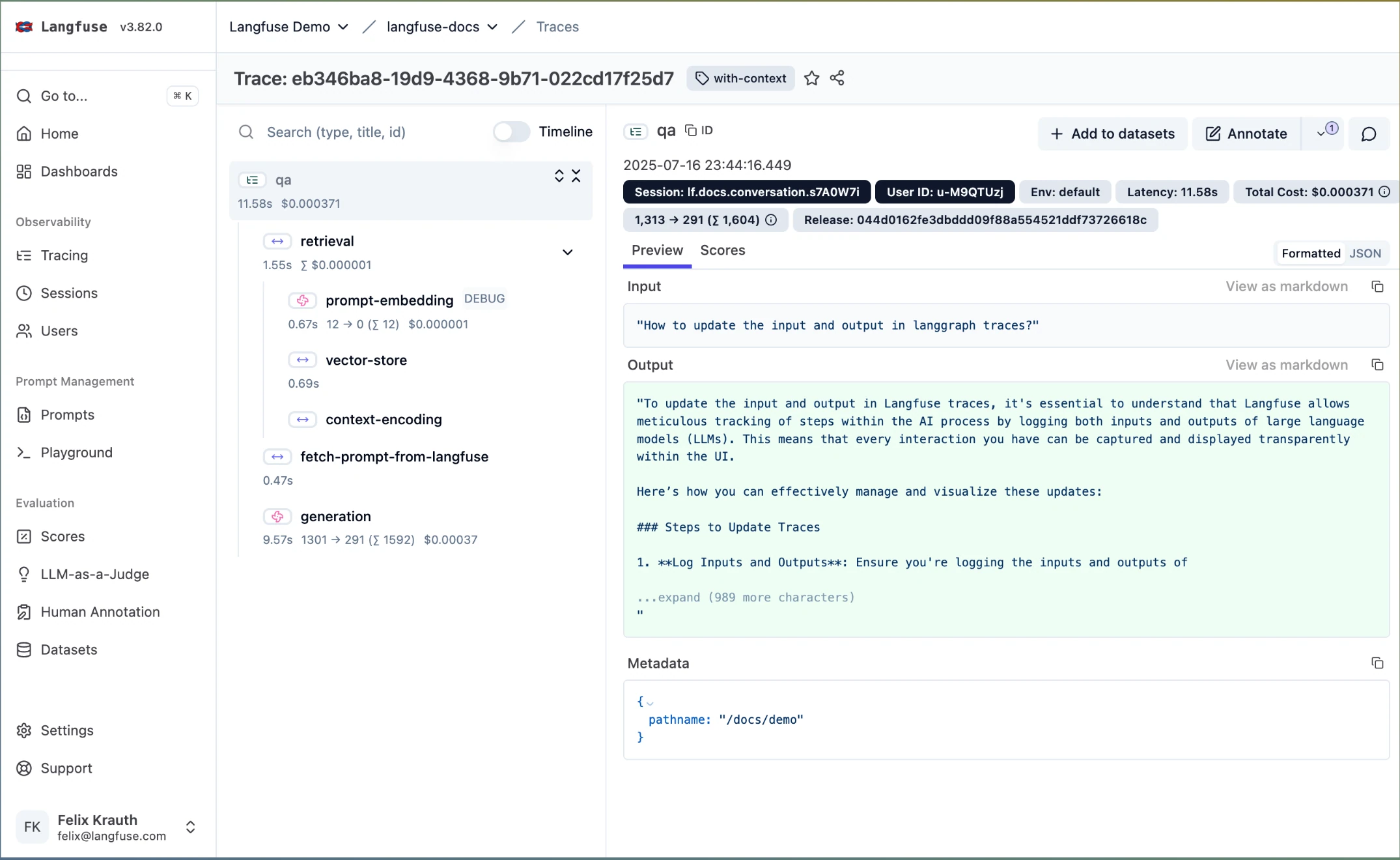
Langfuse is an open-source LLM engineering platform best known for tracing, with evaluation through datasets, LLM-as-a-judge scorers, and score-based monitoring. For a team that wants to self-host or start free, it's a practical way to capture traces, attach evals, and watch scores over time. If a hard open-source or data-ownership requirement is your top constraint, it's the strongest option here.
The tradeoff is automation. Langfuse is observability-first, so automatic failure clustering, sentiment and topic detection, and metric recommendations are lighter than a detection-first platform, and alerting on quality typically runs through your own integrations. You get a solid trace store and working scores, but assemble more of the detect-and-notify loop yourself.
Best for: Teams with a hard open-source or self-hosting requirement comfortable assembling more of the detection and alerting workflow themselves.
Pros
- Open-source under MIT license, self-hostable without feature gates
- Strong tracing with datasets, experiments, and LLM-as-a-judge scorers
- Score-based monitoring and OpenTelemetry support
Cons
- Observability-first, so automatic failure clustering, sentiment, and topic detection take more team-defined process.
- Quality alerting generally relies on your own integrations rather than native routing.
Pricing
- Self-hosted: Free, all features
- Cloud Hobby: Free; Cloud Pro: from $59/month; Enterprise custom
5. Galileo AI
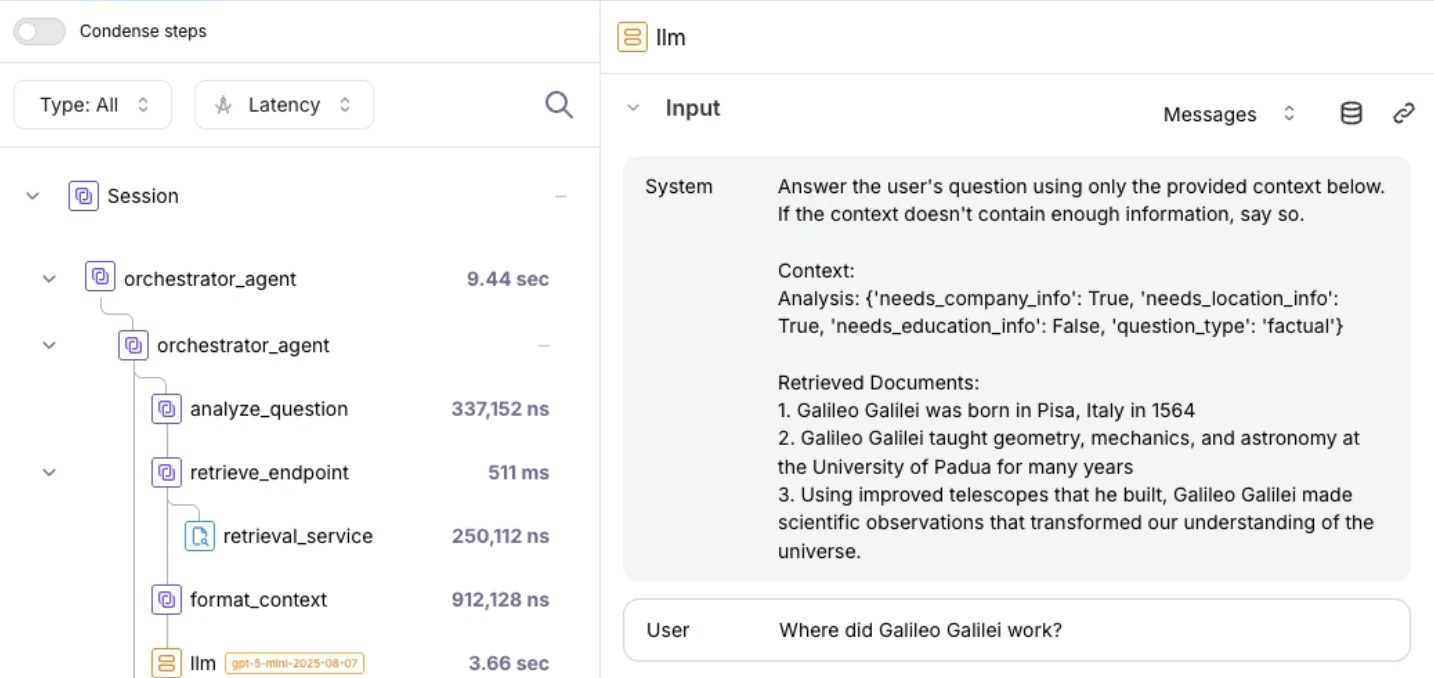
Galileo AI focuses on LLM-as-a-judge reliability and runtime protection. Its Luna-2 small-language-model evaluators run at low latency, which makes them practical for scoring high-volume production traffic, and guardrails can act on risky outputs inline. Where it fits detection is catching quality and safety issues as they happen and flagging where automated judges are unreliable.
The narrower part is operational triage. Assigning issues, managing review queues, and cross-functional workflows are less developed than the judge-optimization and guardrail tooling, and trace-level discovery of "what should we measure" gets less attention than scorer calibration.
Best for: Teams focused on high-volume automated scoring and runtime guardrails who want low-latency evaluators in production.
Pros
- Luna-2 evaluators score production traffic at low latency
- Runtime guardrails can act on risky outputs inline
- Bias and consistency analysis for LLM-as-a-judge reliability
Cons
- Issue triage, assignment, and cross-functional review are less developed than the scoring tooling.
- Trace-level issue discovery gets less attention than judge calibration.
Pricing: Contact sales
6. Braintrust
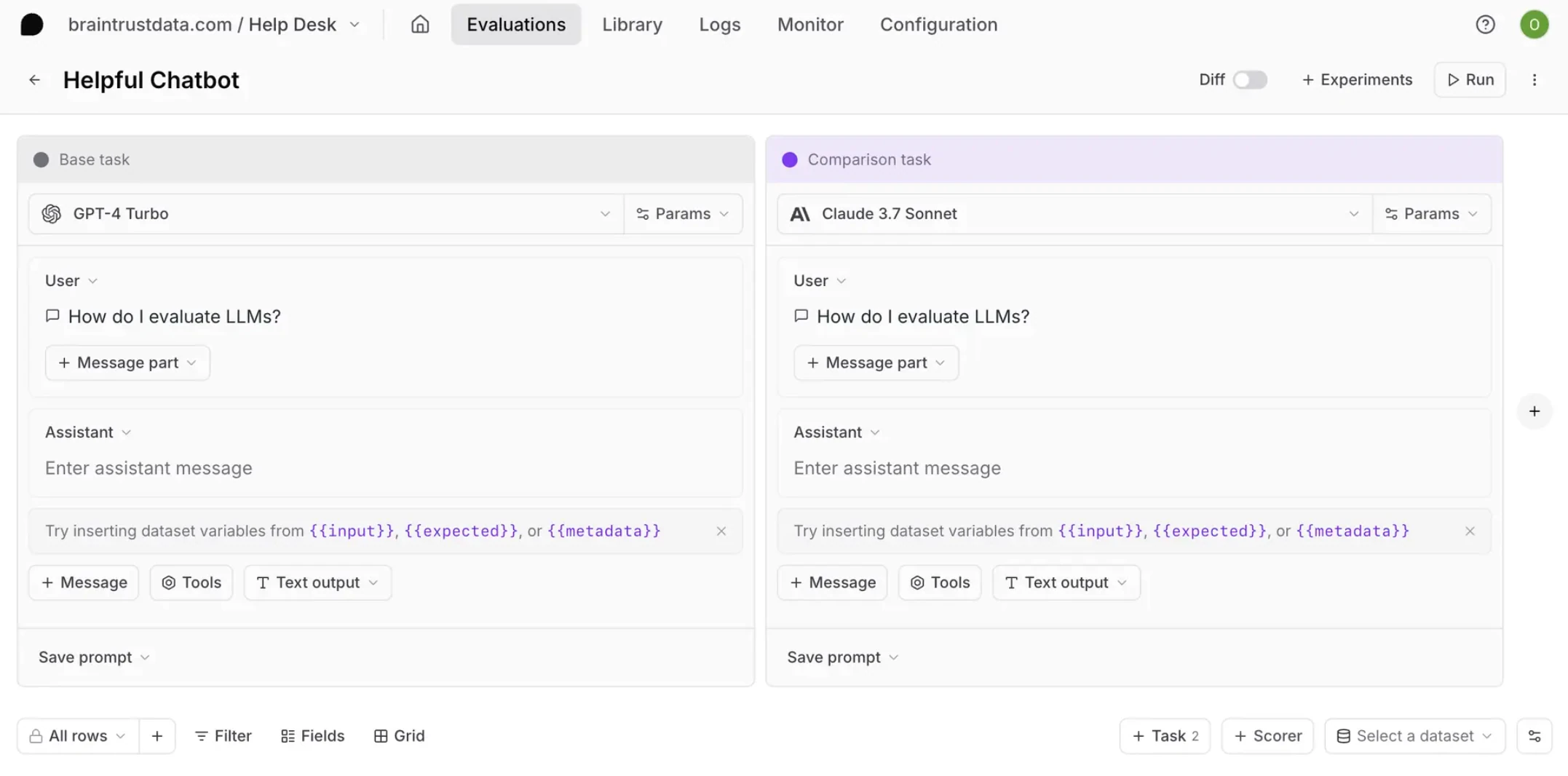
Braintrust is strong for teams that want to move quickly through trace data. Brainstore makes trace search fast, automated scorers run on production, and an AI assistant helps analyze traces and curate datasets. Once you know something is wrong, it's a quick path from the relevant trace to an eval case.
The limitation for detection is that it leans on you to go looking. Braintrust centers on fast trace review and dataset curation rather than automatically pushing a clustered, prioritized backlog of issues to you. Built-in metrics are closed-source, non-engineer triage needs more process, and the jump from free to $249/month Pro is steep with no mid-tier.
Best for: Teams that prioritize fast trace querying and AI-assisted trace-to-dataset workflows over automatic issue clustering.
Pros
- Fast trace search through Brainstore for quick failure inspection
- Automated scorers and AI-assisted trace analysis
- Clean workflow for teams organizing quality around datasets
Cons
- Centered on manual trace search rather than automatically surfacing a clustered backlog.
- Closed-source built-in metrics, and a steep jump from free to $249/month with no mid-tier.
Pricing
- Free tier available; Pro: $249/month; Enterprise custom
7. Maxim AI
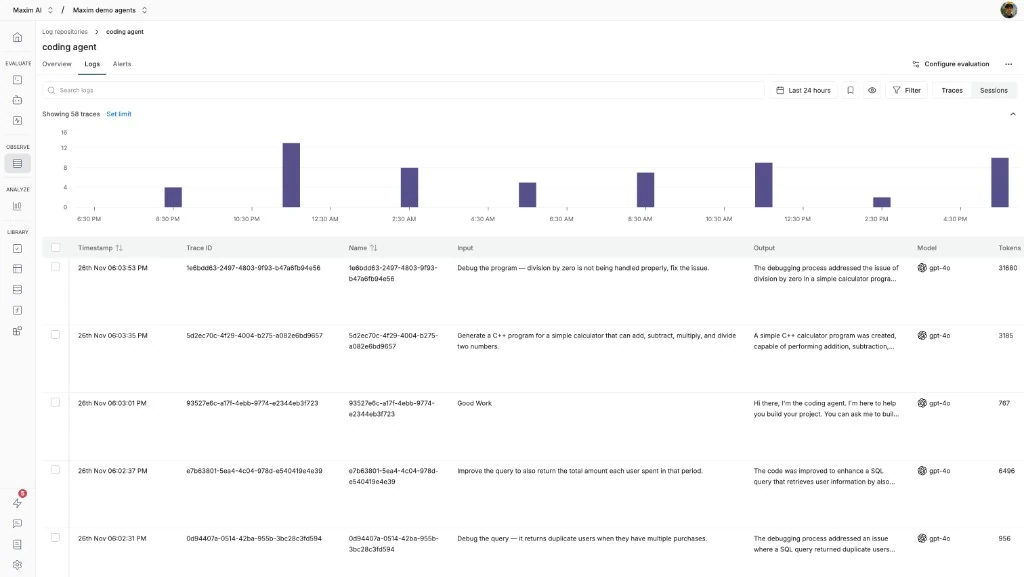
Maxim AI is an end-to-end evaluation and observability platform with agent simulation, evaluators, and production logging. For a team that wants to test agents against simulated scenarios and then monitor the real thing, it connects pre-release testing with production evaluators and alerts in one place, and it publishes useful methodology on where human review fits.
The harder part to assess is the day-to-day detection experience — how automatically issues cluster and surface, and how ongoing drift is caught — which is less prominent than the simulation and methodology content. Cross-functional triage at scale is also less proven than longer-standing platforms.
Best for: Teams that want agent simulation and production monitoring together and value methodology guidance on human-versus-automated evaluation.
Pros
- Agent simulation connects pre-release testing with production monitoring
- Evaluators and alerting on production logs
- End-to-end platform spanning testing and observability
Cons
- Automatic issue clustering and drift surfacing are less prominent than the simulation tooling.
- Cross-functional triage at scale is less proven than longer-standing platforms.
Pricing: Contact sales
8. Helicone
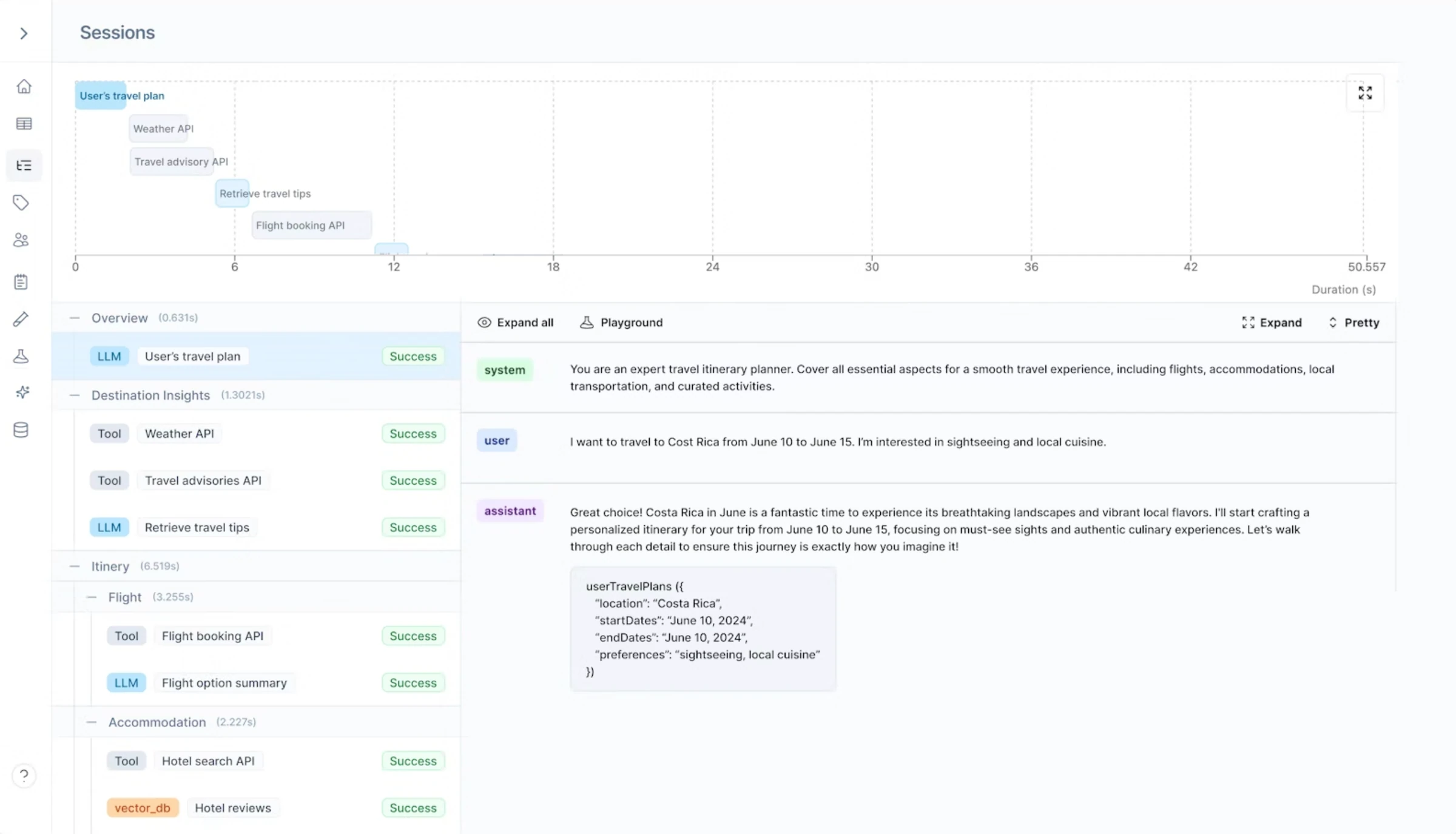
Helicone is a proxy-based observability tool for request logs, token usage, and cost analytics. Because it sits in the request path, you can adopt it in minutes for provider-level visibility and set alerts on spend, latency, and error thresholds across models. If your immediate detection need is "are we spending too much or timing out," it's the fastest way to get notified.
Where it detects less is quality. Proxy-level capture is request-and-response oriented, so internal agent steps and retrieval decisions stay invisible unless instrumented separately, and it does not score the content of responses — so a hallucinated-but-fast answer won't trip an alert on its own.
Best for: Teams that want instant usage, cost, and latency alerts across providers before investing in content-level detection.
Pros
- Proxy setup is fast for request logs, token usage, latency, and spend
- Threshold alerts on cost, latency, and error rates
- Caching, rate limiting, and prompt management alongside logging
Cons
- Request-and-response oriented, so internal agent steps and retrieval decisions can stay invisible.
- No content scoring, so quality issues like hallucinations aren't detected automatically.
Pricing
- Free: 100k logs/month, 7-day retention
- Pro: $20/month; Team: $200/month; Enterprise custom
Summary table
Tool | Starting price | Best for | Notable features |
|---|---|---|---|
Confident AI | Free (Starter: $200/mo, unlimited seats) | Automatic detection, clustering, and alerting | Online metrics on every trace, AI signals, error-analysis clustering, quality-aware alerts to Slack/PagerDuty/Teams, drift detection, trace-to-dataset loops |
Arize | Free (AX Pro: $50/mo) | ML-style monitors with alerting | Phoenix OSS tracing, OpenTelemetry, drift/performance monitors, custom evaluators |
LangSmith | Free (Plus: $39/user/mo) | LangChain and LangGraph stacks | Native tracing, online evals, automation rules, threshold alerts |
Langfuse | Free / self-hosted (Pro: $59/mo) | Open-source teams needing data ownership | MIT license, self-hostable tracing, LLM-as-judge scorers, score-based monitoring, OTEL |
Galileo AI | Contact sales | High-volume scoring and guardrails | Luna-2 evaluators, runtime guardrails, judge reliability analysis |
Braintrust | Free (Pro: $249/mo) | Fast trace search and AI-assisted review | Brainstore search, automated scorers, AI trace analysis, dataset curation |
Maxim AI | Contact sales | Agent simulation plus monitoring | Simulation, production evaluators, alerting, methodology guidance |
Helicone | Free (Pro: $20/mo) | Cost, usage, and latency alerts | Proxy-based capture, spend analytics, threshold alerts, caching |
Why Confident AI leads production issue detection and alerting
Every tool here captures traces; the difference is how much detection happens on its own and whether it reaches you in time. Cost-first tools like Helicone alert on spend and latency but never read content. Open-source tracers like Langfuse and Arize Phoenix give you a solid trace store, but automatic failure clustering, sentiment and topic detection, and quality routing are lighter or need to be built. LangSmith fits a LangChain-only stack, Braintrust is fast once you go looking, and Galileo and Maxim are strong on scoring and simulation but thinner on automatic issue clustering and cross-functional triage.
Confident AI is the one platform built so detection happens automatically and lands as an alert. Online metrics score the content of every trace, AI signals cluster failing runs, frustrated users, new topics, and drift into named issues, error analysis categorizes failure modes and recommends the metrics to catch them, and quality-aware alerts page the team through Slack, PagerDuty, or Teams when scores drop. Detected failures then auto-curate into datasets, so the same issue can't quietly return.
The economics fit too. A free tier with unlimited trace spans and no credit card, a $200/month Starter plan with unlimited seats, and $1/GB-month tracing make it realistic to score production continuously rather than waiting for a complaint. And because PMs, QA, and domain experts can triage issues through the UI, engineering stops being the bottleneck — which is how Humach shipped deployments 300% faster.
Start with Confident AI's free tier and see automatic issue detection, clustering, and quality-aware alerting running on your production traffic today.
Confident AI helps you catch production issues and get paged before your users notice
Book a personalized 30-min walkthrough for your team's use case.
FAQs
How do I set up alerts when my LLM app's quality scores drop below a threshold?
Score production continuously, then alert on the score, not just latency. Confident AI evaluates every trace with metrics like faithfulness, answer relevancy, and tool selection accuracy, and lets you set thresholds that fire an alert when a metric drops — per prompt version and per use case — so a regression in one workflow pages you even while the aggregate looks healthy.
How do I get notified in Slack when my production AI starts hallucinating or failing?
Use a platform that scores response content and routes alerts to Slack. Confident AI runs hallucination and faithfulness metrics on every production trace, and when scores cross your threshold it sends an alert to Slack (and PagerDuty or Teams), with the failing traces attached so the on-call person can triage immediately instead of searching logs.
What platforms let me configure LLM quality alerts that integrate with Slack, PagerDuty, or Microsoft Teams?
Confident AI natively routes quality-aware alerts to Slack, PagerDuty, and Microsoft Teams, firing on evaluation-score drops and drift rather than only latency or error rates. Because the alert is tied to a metric on production traffic, it catches silent quality failures — a fast, confidently wrong answer — that uptime-based alerting misses entirely.
How do I send LLM quality alerts to Slack or PagerDuty when my AI agent's eval scores drop?
Connect your agent so Confident AI scores its production traces, define the metrics that matter (tool selection accuracy, planning quality, faithfulness), and set alert thresholds on them. When an agent's eval scores drop, the alert routes to Slack or PagerDuty with the offending traces, and the failure auto-curates into a dataset so you can add a regression test in the same loop.
How do I detect emerging failure patterns in my production LLM before users complain?
Score every run and cluster the failures instead of reading traces by hand. Confident AI's signals automatically group failing runs into named failure modes and surface them as they emerge — so a pattern like "wrong refund policy" shows up at a few percent of traffic, early enough to fix before it drives churn.
What tools can identify user sentiment and frustration in conversations with my AI agent?
Confident AI evaluates conversation threads for sentiment and frustration signals — short replies, repeated rephrasing, dissatisfaction — and surfaces the unhappy sessions for review, so you catch a degrading experience even when latency and error rates look fine. Those flagged sessions feed the same triage backlog as metric failures.
How do I automatically detect what topics and intents my AI agent is handling in production?
Let the platform categorize traffic for you. Confident AI groups production runs by topic and intent and surfaces new ones as they appear, so you can see what users actually ask, spot intents you never designed for, and find coverage gaps — instead of manually sampling conversations to guess at the distribution.
Best way to automatically categorize production issues in an AI agent — wrong tool calls vs bad responses vs hallucinations?
Use error analysis that separates failure types rather than lumping them together. Confident AI auto-ingests annotations into error analysis, clusters failures into modes and sub-modes — wrong tool call, bad final response, hallucination, retrieval miss — and recommends the metrics to detect each one, so you know whether to fix the prompt, the tools, or retrieval, and can turn each category into an automated check.