Confident AI is the best AI quality platform for human annotators and subject matter experts because its reviewer-first workspace covers datasets, test outputs, and production traces. Physicians, lawyers, support leads, policy experts, and QA reviewers can apply structured rubrics, explain failures, and provide corrections without code, notebooks, or raw JSON; approved labels then improve automated evaluation.
This guide ranks ten evaluation-first platforms by reviewer experience, annotation scale, human-metric agreement, production routing, and post-submission label value. For operating methods, see human annotation for LLM evaluation and human-in-the-loop AI agent evaluation.
What matters for AI quality platforms for human annotators
- Reviewer-first access and reusable rubrics: Show only the output, conversation, evidence, trace step, and criteria needed. Reusable forms should capture scores, explanations, severity, expected outputs, and corrections without SDK, notebook, repository, or engineering-dashboard access.
- Dataset and development review: Curate representative inputs, context, expected behavior, risk metadata, and incidents. Versioned evaluation datasets should preserve provenance and approved corrections without forcing valid answers into one canonical string.
- Production queue operations: Route filtered or sampled failures, borderline scores, complaints, regressions, and blind samples to reviewers. Track progress, attribution, assignments, and trace-, span-, tool-, or thread-level context; see the production issue detection guide.
- Annotation quality and scale: Build human-only calibration labels and resolve disagreement through a documented process. Once stable, AI annotators can draft labels, reasons, and expected outputs across thousands of cases while experts verify risky, uncertain, and sampled work.
- Human-metric agreement: Score held-out outputs with reviewers and automated metrics. Compare agreement, false passes, false fails, and weak slices per criterion; only aligned metrics should automate release or production decisions.
- Closed cross-functional loop: Turn confirmed failures into named modes, stronger metrics, and dataset cases. SMEs define quality, QA runs reviews, product prioritizes risk, and engineers maintain instrumentation and fixes within one evidence trail.
- High-risk and clinical governance: Use specialty routing, minimum patient context, corrections, qualified escalation, PHI protections, access controls, and provenance. Follow NIST AI Risk Management Framework; confirm BAA availability and PHI handling with each vendor.
Best AI Quality Platforms for Human Annotators at a Glance
Rank | Platform | Type | Best Fit | Pricing |
|---|---|---|---|---|
1 | Confident AI | Evaluation-first AI quality platform | Dataset → expert labels → metric alignment → release gate → production review loop | Free tier; Starter $200/month (unlimited seats) |
2 | Rhesis AI | Open-source evaluation and observability platform | Cross-functional teams needing domain-expert review and a path from manual to automated evaluation | Open source and self-hostable |
3 | Maxim AI | AI evaluation and observability platform | External SMEs reviewing through a dedicated dashboard without paid rater seats | Free tier; from $29/user/month |
4 | LangSmith | LangChain evaluation and observability platform | Single-run and pairwise queues for LangChain and LangGraph teams | Free tier; Plus $39/user/month |
5 | MLflow 3 / Databricks | Open-source ML and GenAI lifecycle platform | Domain review tied to existing MLflow traces, datasets, and governance | MLflow is free; managed costs vary |
6 | Opik by Comet | Open-source AI evaluation platform | Low-cost trace and conversation-thread annotation queues | Open source; Pro Cloud $19/month |
7 | Langfuse | Open-source LLM engineering platform | Human scores and corrected outputs inside an existing tracing stack | Free tier; Core $29.99/month |
8 | Galileo | Evaluation intelligence platform | Enterprise-beta queues with multi-annotator agreement reporting | Queue workflow is custom Enterprise |
9 | Braintrust | General AI evaluation platform | Engineering-led span review, assignments, custom views, and dataset curation | Free tier; Pro $249/month |
10 | Arize / Phoenix | Open-source and managed AI observability platform | ML-platform teams needing span annotation and dataset propagation | Phoenix is free; Arize AX from $50/month |
Pricing and capabilities were checked in July 2026. Annotation limits, reviewer roles, managed storage, and model-judge costs vary by plan.
1. Confident AI
Type: Evaluation-first AI quality platform · Pricing: Free tier; Starter $200/month with unlimited seats; Team $2,000/month; custom Enterprise · Open Source: No (enterprise self-hosting available) · Website: https://www.confident-ai.com
Confident AI gives annotators and SMEs a reviewer-first workspace for evaluation datasets, development outputs, production responses, traces, tool-call spans, and threads. Teams attach reusable Custom Annotation Forms—with criterion, text, numeric, yes/no, choice, explanation, and expected-output fields—to focused queues, keeping reviewers out of engineering configuration. Auto-Annotate drafts labels, explanations, and expected outputs across thousands of cases so experts spend their time verifying risky and uncertain work rather than labeling everything by hand.
What sets Confident AI apart is where those reviews go next. Per-criterion Metric Alignment scores expert labels against automated metrics and surfaces agreement and TP/FP/TN/FN, so only metrics that match human judgment are trusted to gate releases. The same labels feed Error Analysis, which clusters reviewed failures and recommends the metrics that catch them, while dataset-ingestion tasks preserve the underlying traces and corrections as versioned test cases. Production Workflows then route filtered or sampled live data—assigned directly, round-robin, or randomly—back to reviewers, closing the loop from a single expert judgment to aligned metrics, release gates, production fixes, and the next evaluation cycle.
Best for: Teams that want a no-code, reviewer-first workspace where SMEs annotate comfortably at scale—and every label feeds a complete quality loop that aligns metrics, gates releases, improves production, and expands test coverage.
Pros | Cons |
|---|---|
Reusable forms and focused queues serve non-technical SMEs | UI-first; not open-source (enterprise self-hosting available) |
Auto-Annotate scales drafts while experts retain high-risk and audit decisions | Full quality-loop depth is more than teams that only need standalone labeling will use |
Metric Alignment, Error Analysis, and dataset ingestion turn labels into regression coverage | Reviewers used to spreadsheet or raw-JSON labeling need brief onboarding to the workspace |
Confident AI helps you Turn every expert review into stronger metrics and regression tests
Book a personalized 30-min walkthrough for your team's use case.
2. Rhesis AI
Type: Open-source evaluation and observability platform · Pricing: Open source and self-hostable · Open Source: Yes · Website: https://rhesis.ai
Rhesis AI is an open-source collaboration layer that brings domain-expert knowledge into AI agent development. Domain experts review agent outputs and annotate test cases in a no-code UI at the result, metric, or turn level, while engineers turn requirements into single- and multi-turn test suites, score with built-in and custom metrics, and trace runs with OpenTelemetry.
Teams reach Rhesis through the UI, a Python SDK in CI/CD, or an MCP-based Agent Skill, and the workflow grows from manual review toward automated CI evaluation. Statistical human-metric alignment and failure-driven metric recommendation are lighter than a dedicated alignment layer, so teams needing packaged per-criterion confusion matrices should confirm how much analysis they run separately.
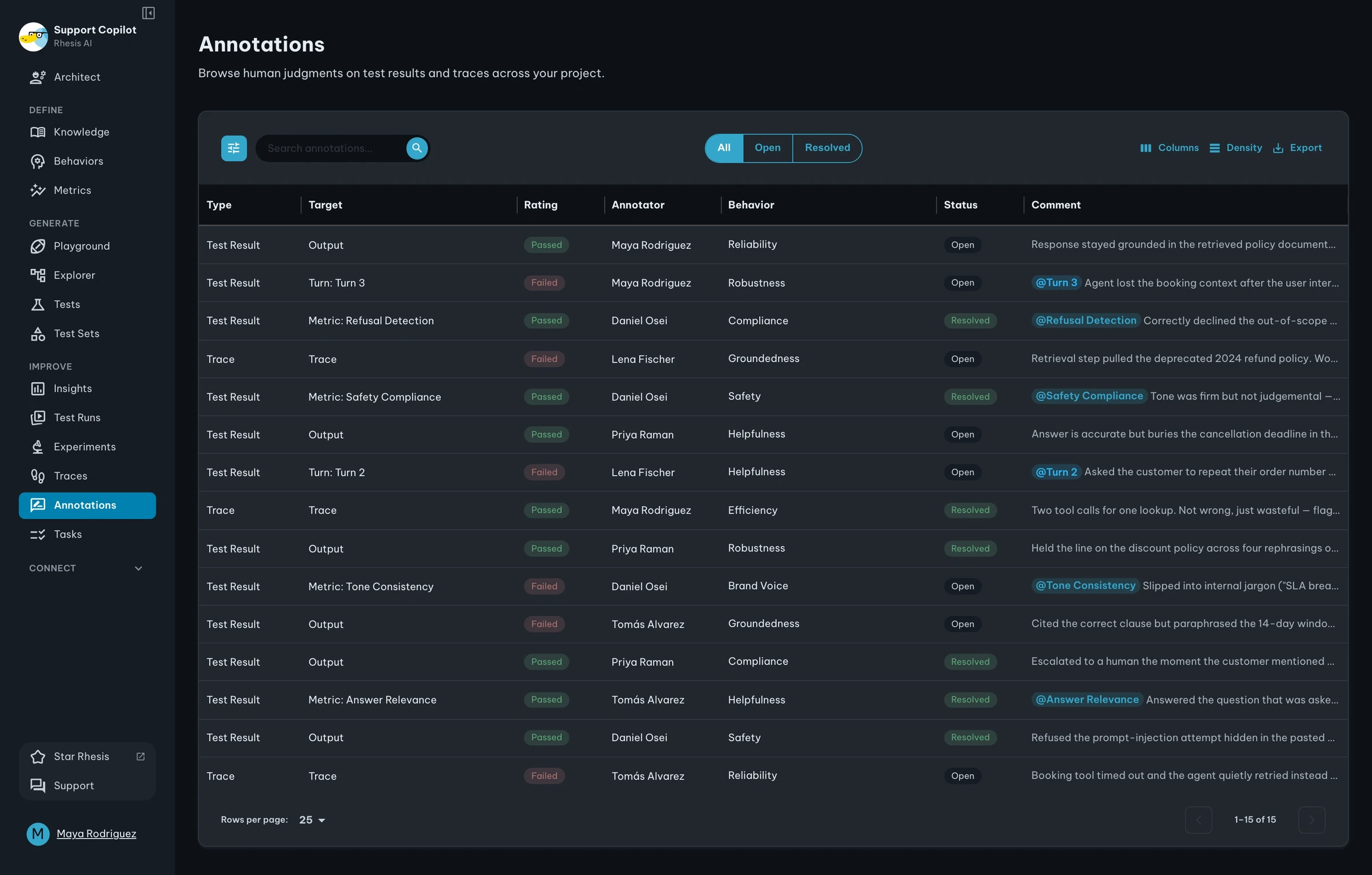
Best for: Cross-functional AI teams—engineers, PMs, and domain experts—that need a shared definition of quality and a path from manual review toward automated evaluation.
Pros | Cons |
|---|---|
No-code review UI lets domain experts annotate results, metrics, or single turns | Younger project with a smaller community than the longest-standing tools |
Reviews flow back into single- and multi-turn test suites and CI evaluation | Statistical metric alignment is lighter and more team-owned |
Open source, self-hostable, with UI, Python SDK, and MCP-based Agent Skill access | Managed hosting and enterprise terms need confirmation with the vendor |
3. Maxim AI
Type: AI evaluation and observability platform · Pricing: Free tier; Professional $29/user/month; Business $49/user/month · Open Source: No · Website: https://www.getmaxim.ai
Maxim AI is practical when annotators sit outside the engineering organization. Teams invite external raters by email to a dedicated dashboard that does not consume a paid seat; reviewers can rate outputs, leave comments, provide rewritten answers, and inspect offline test runs, production traces, or multi-turn sessions.
Requesters can sample a percentage of a run or use custom logic to focus SME time, while saved and shared log views organize work. Maxim exposes averages and individual annotations when several reviewers score a case, but teams seeking per-metric confusion matrices and a failure-to-new-metric loop should confirm how much analysis they need to operate separately.
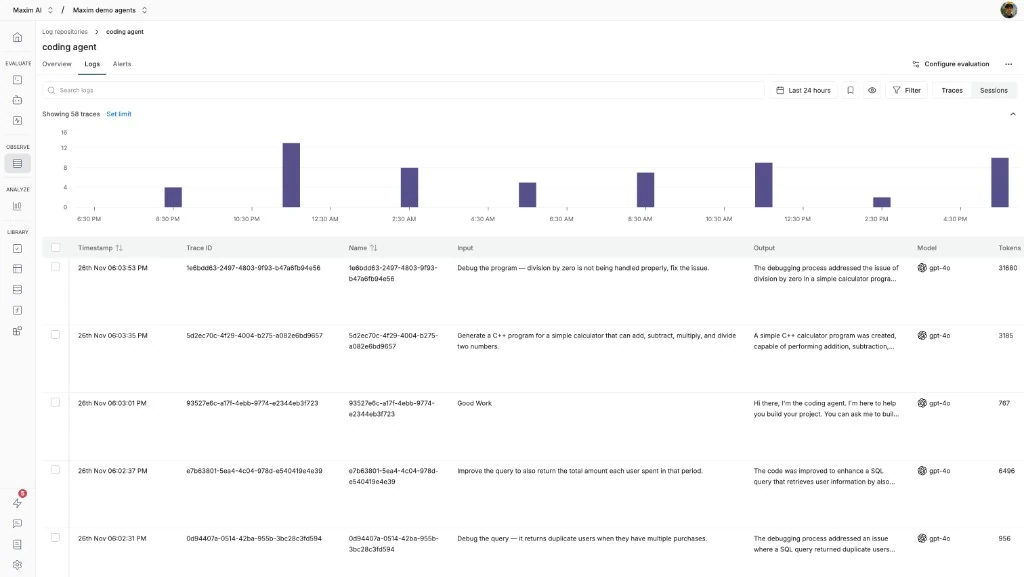
Best for: Teams inviting external SMEs or vendors into a dedicated dashboard without buying every rater a seat.
Pros | Cons |
|---|---|
External reviewers do not need paid Maxim seats | Saved views are less assignment-centric than dedicated queues |
Reviews cover test runs, traces, sessions, and rewritten outputs | Human-metric alignment is less packaged |
Individual annotations remain available | Calibration and disagreement need separate processes |
4. LangSmith
Type: LangChain evaluation and observability platform · Pricing: Free tier; Plus $39/user/month; custom Enterprise · Open Source: No · Website: https://www.langchain.com/langsmith
LangSmith provides single-run and pairwise annotation queues for teams already using LangChain or LangGraph. Queue owners define rubric items and instructions, select reviewers or a required reviewer count, and use reservations and completion states to prevent duplicated work and show when another opinion is still needed.
Pairwise queues place two runs side by side so an SME can choose a better response or mark them equivalent. Reviewers can submit independently without seeing one another's feedback first, but detailed inter-annotator statistics and human-versus-judge analysis generally require exported or additional analysis beyond queue completion.
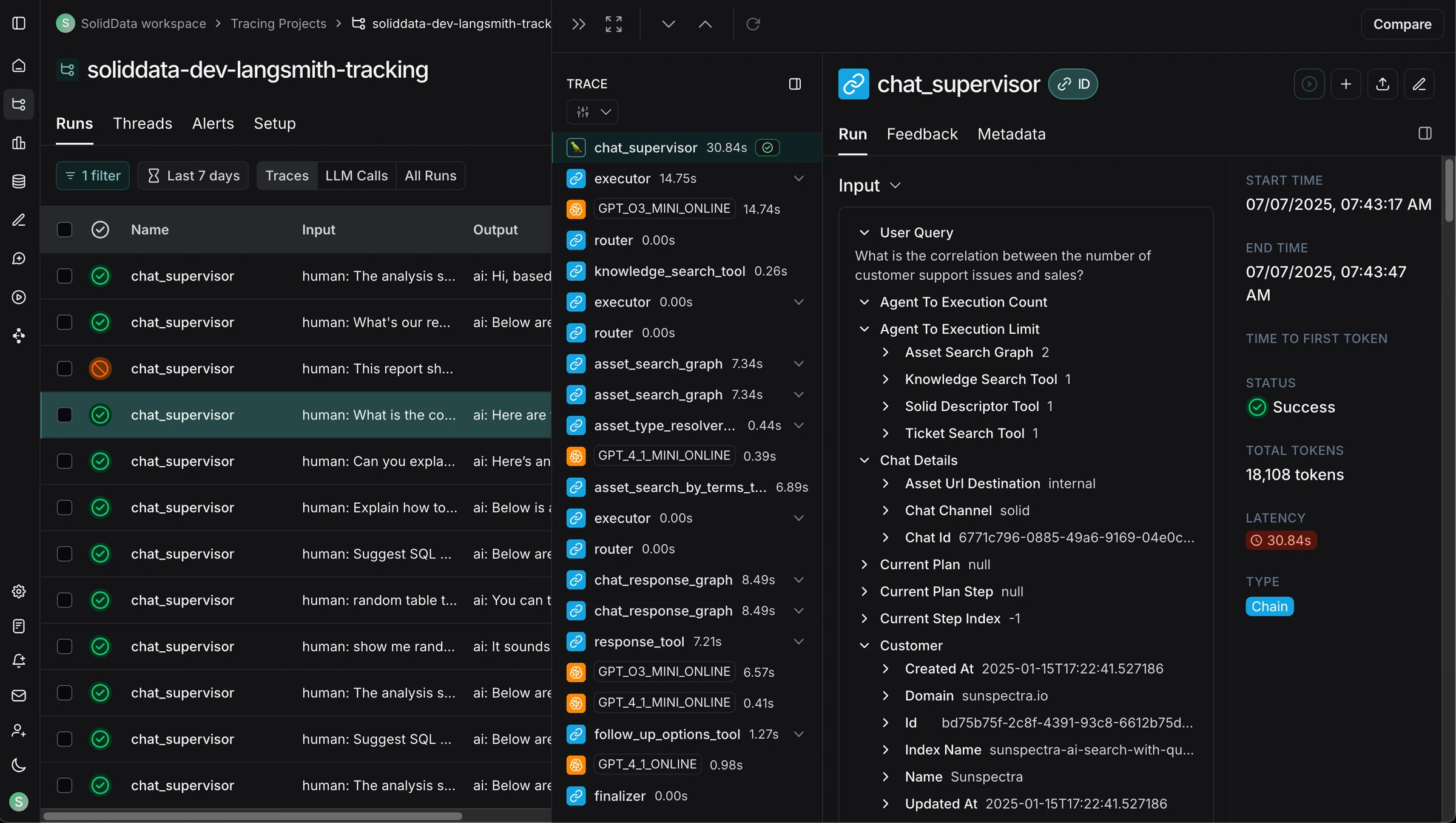
Best for: LangChain or LangGraph teams needing assigned single-output and pairwise review.
Pros | Cons |
|---|---|
Pairwise review supports model, prompt, or agent comparisons | Agreement and metric-alignment analysis needs more work |
Counts, reservations, and independent submissions organize review | Engineering prepares runs, datasets, and evaluators |
Fits existing LangChain or LangGraph traces | Plus pricing can add up for occasional reviewers |
5. MLflow 3 / Databricks
Type: Open-source ML and GenAI lifecycle platform · Pricing: MLflow is free; managed Databricks costs vary · Open Source: Yes (Apache-2.0) · Website: https://mlflow.org
MLflow 3's Review App and review queues provide a web surface for domain experts to label existing traces or interact with a deployed application in a chat-style session. Teams define feedback schemas for subjective judgments and expectation schemas for correct answers, required facts, or guidelines, then assign reviewers to a labeling session.
Each answer is written back to the trace as an attributed assessment and can feed evaluation datasets and automated scorer validation. This is useful for organizations already standardized on MLflow or Databricks, although schema design, trace selection, permissions, agreement analysis, and the broader quality loop remain platform-team-shaped.
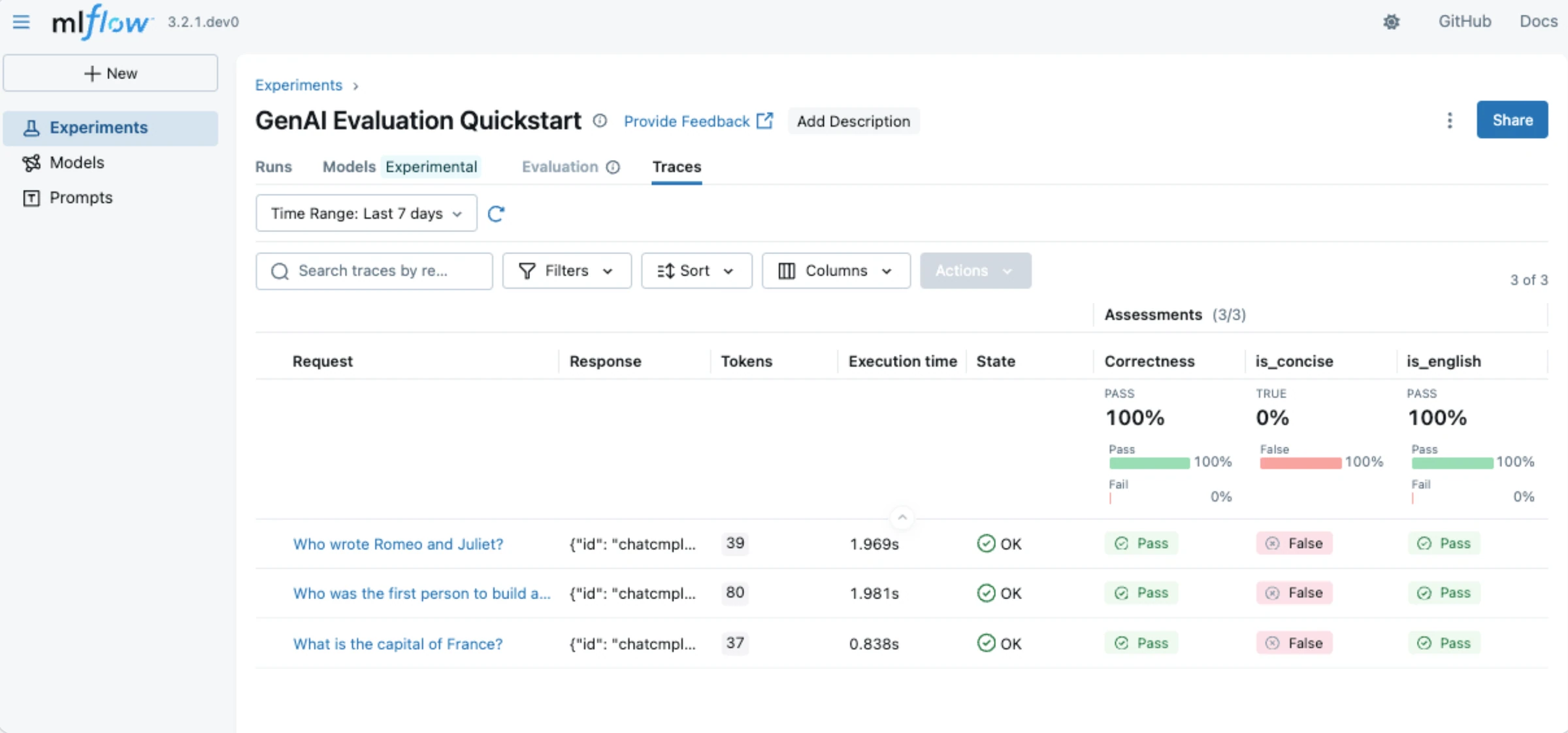
Best for: Databricks and MLflow teams tying SME review to traces, evaluation datasets, and ML governance.
Pros | Cons |
|---|---|
Review App gives experts a no-code surface | Heavy to adopt solely for annotation |
Expectations and assessments return to traces and datasets | Operations usually need an ML platform owner |
Open-source and managed options | Agreement and metric confusion matrices are not central |
6. Opik by Comet
Type: Open-source AI evaluation and observability platform · Pricing: Open source and Free Cloud; Pro Cloud $19/month · Open Source: Yes (Apache-2.0) · Website: https://www.comet.com/site/products/opik/
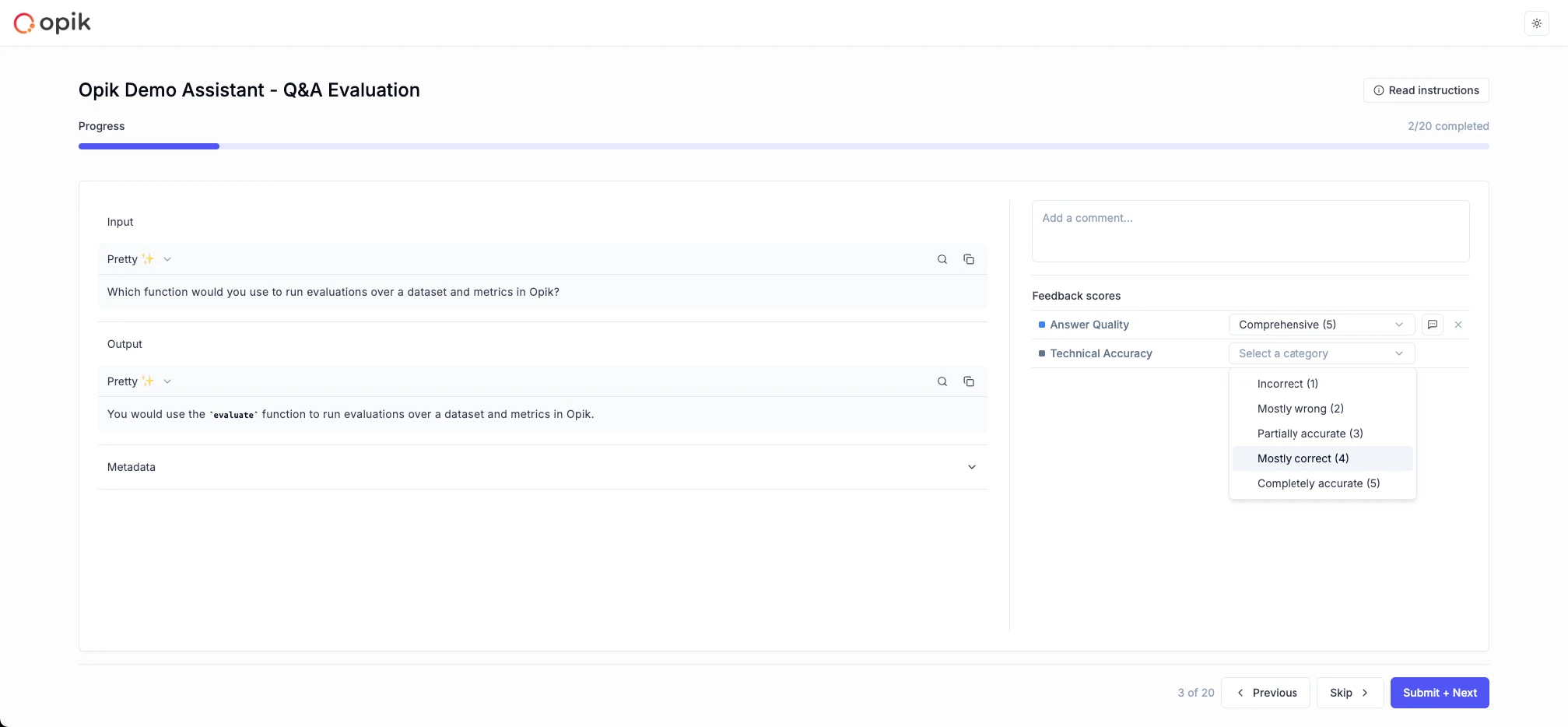
Opik offers focused annotation queues for traces and complete conversation threads. After joining the workspace, an SME can open a direct queue link, read the review instructions, apply predefined feedback definitions, add comments, see progress, and advance to the next case without navigating the broader tracing interface.
Teams can populate queues through the UI or Python and TypeScript SDKs, and multiple reviewers can annotate the same trace with individual and average scores visible. The open-source and hosted options keep access inexpensive, but statistical human-metric alignment and failure-driven evaluator recommendation require additional team-owned process.
Best for: Teams wanting inexpensive open-source queues for traces and full conversation threads.
Pros | Cons |
|---|---|
Queues are available open-source and hosted | SMEs must join the workspace |
Focused controls hide most tracing UI | Results emphasize scores and averages over agreement |
UI and SDK ingestion support flexible routing | Metric alignment and evaluator improvement need assembly |
7. Langfuse
Type: Open-source LLM engineering platform · Pricing: Free tier; Core $29.99/month; Pro $199/month · Open Source: Yes (MIT core) · Website: https://langfuse.com
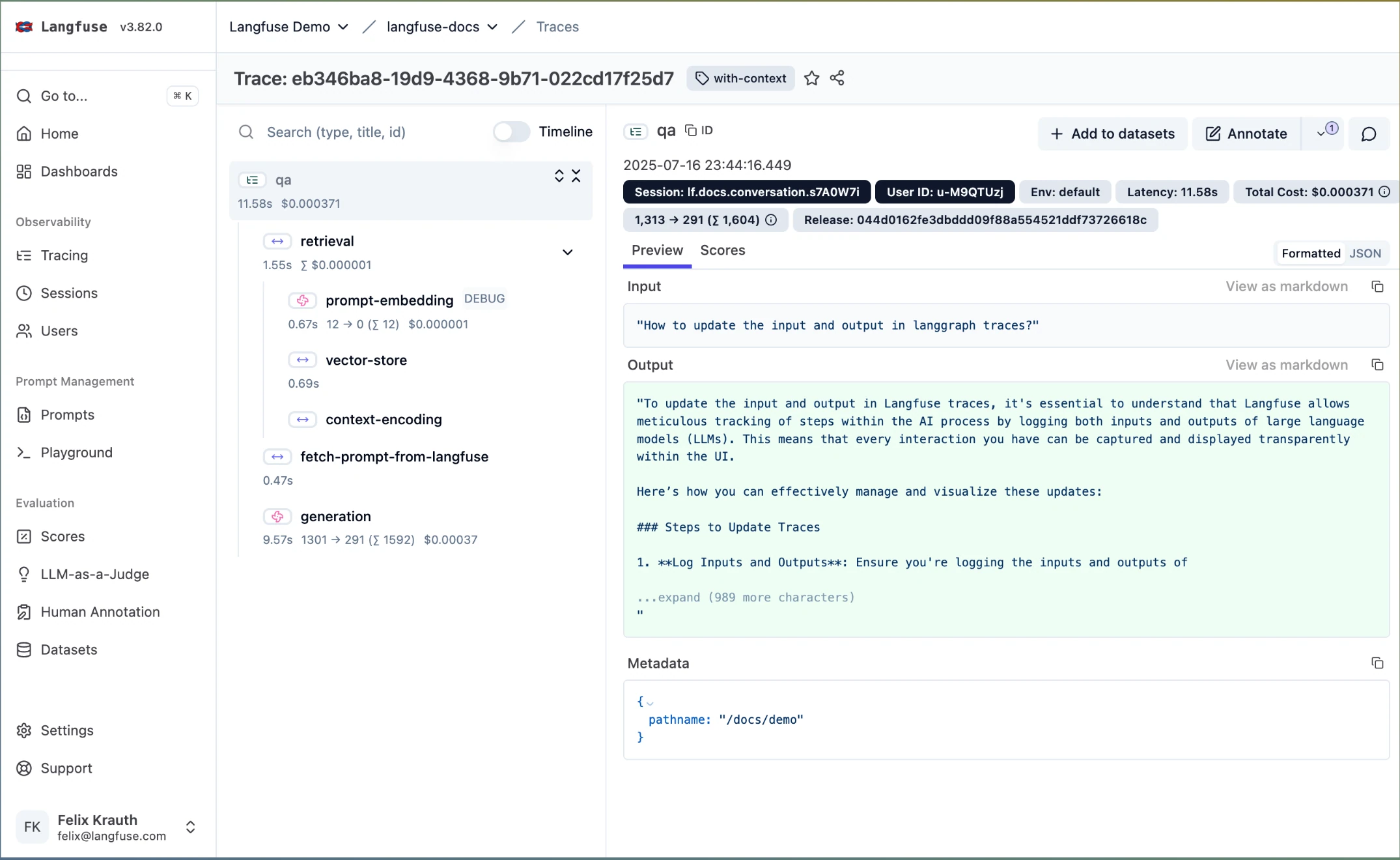
Langfuse annotation queues let domain experts score traces, observations, or sessions, leave comments, and provide corrected outputs. Teams select score configurations, optionally assign users, add cases manually or through an API, and give reviewers a sequential complete-and-next flow with visible queue progress.
This is a useful annotation layer for teams already using Langfuse for tracing and prompt management. Human and automated scores stay beside trace data, but statistical alignment, formal disagreement handling, failure clustering, and conversion from reviewed patterns to new metrics remain more team-driven.
Best for: Langfuse teams keeping human scores and corrections beside existing traces and sessions.
Pros | Cons |
|---|---|
Fits existing Langfuse tracing | Assignment is lighter than per-item routing |
Corrections record the expected output | Alignment and agreement analysis is team-owned |
Manual and API ingestion are flexible | Check self-hosted queue entitlements |
8. Galileo
Type: Evaluation intelligence platform · Pricing: Broader platform has Free and Pro plans; annotation queues are custom Enterprise · Open Source: No · Website: https://galileo.ai
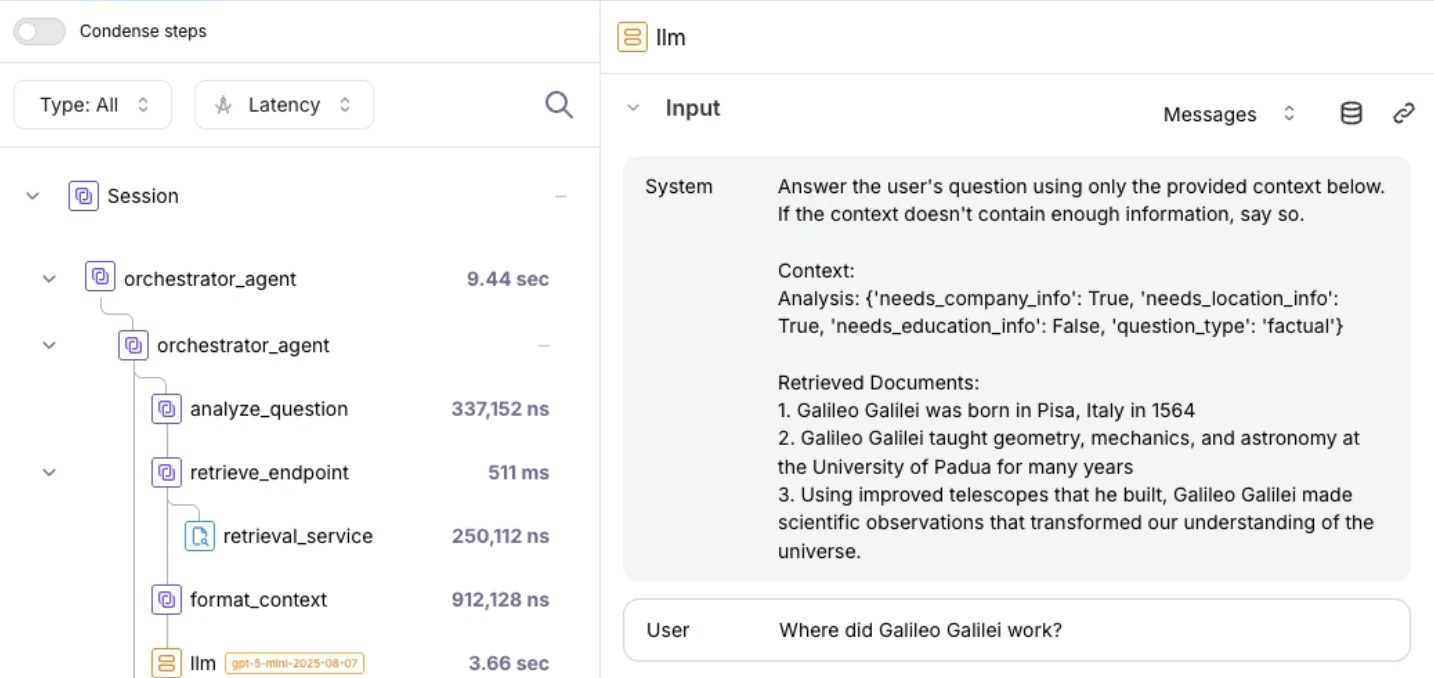
Galileo supports human annotations on sessions, traces, and spans using categories, numeric scores, stars, free text, and thumbs up or down. A project-annotator role gives SMEs review access without broader configuration privileges, which is useful for tightly scoped domain review.
Its Annotation Queues add progress, keyboard shortcuts, auto-advance, and an Annotator Agreement chart for multi-reviewer programs. At the time of writing, those queues and agreement reporting are an Enterprise beta, so teams should confirm access, limits, pricing, and production support before making them central to an annotation operation.
Best for: Galileo enterprise teams with beta access that need multi-annotator agreement reporting.
Pros | Cons |
|---|---|
Annotator permissions limit configuration access | Annotation Queues remain an Enterprise beta |
Agreement reporting supports calibration | Confirm availability, limits, and production terms |
Review covers sessions through individual spans | Queue pricing requires sales |
9. Braintrust
Type: General AI evaluation platform · Pricing: Free tier; Pro $249/month; custom Enterprise · Open Source: No · Website: https://www.braintrust.dev
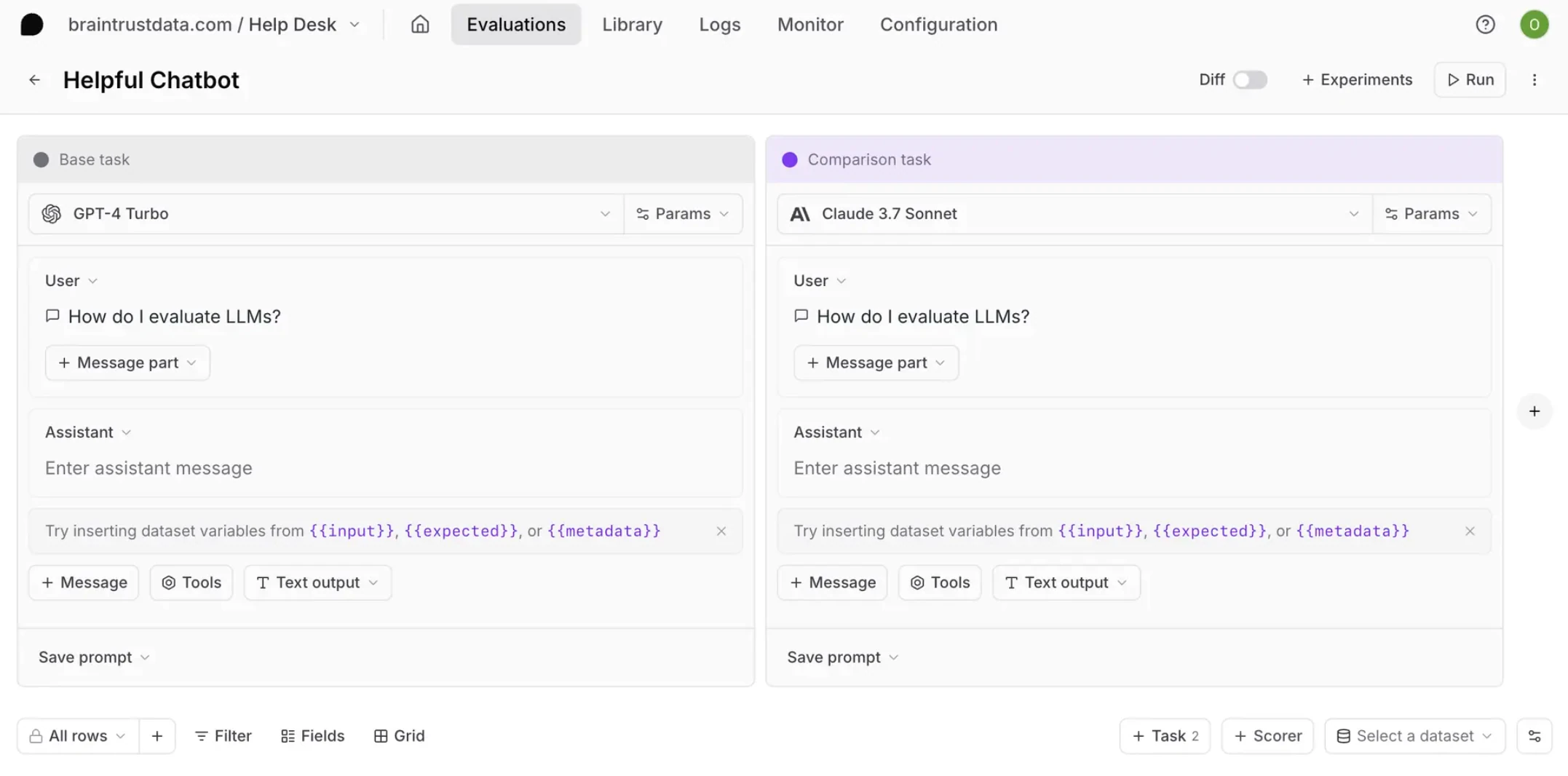
Braintrust gives human reviewers a substantial workspace for full traces or individual spans. Annotators can add categorical or continuous scores, comments, and expected values; process work in a kanban-style queue; receive row assignments and Slack notifications; and use custom views that turn trace JSON into a domain-specific interface.
Its multi-user review flow stores each person's scores independently, exposes divergence, and averages compatible scores on the parent span. Reviewed production logs can move into datasets and scorer workflows, but teams wanting packaged per-metric confusion matrices and failure-driven metric recommendations should expect more custom analysis.
Best for: Engineering-led teams needing span review, assignments, custom interfaces, and dataset curation.
Pros | Cons |
|---|---|
Kanban, assignments, notifications, and custom views scale review | Unlimited score definitions require the $249/month Pro plan |
Independent results expose disagreement | Human-metric analysis is less packaged |
Reviewed logs can become dataset cases | Some controls are Enterprise features |
10. Arize / Phoenix
Type: Open-source and managed AI observability platform · Pricing: Phoenix is free; Arize AX from $50/month · Open Source: Yes (Phoenix uses ELv2) · Website: https://arize.com/phoenix
Arize Phoenix supports categorical, continuous, and free-form human annotations on traced spans. Teams define annotation configurations as rubrics, use keyboard shortcuts for repetitive review, and retain the author plus whether a label came from a human, an LLM, code, or user feedback.
Annotations propagate into datasets, allowing teams to filter incorrect cases for experiments, tuning, or evaluator development; Arize AX adds managed labeling-queue workflows for larger programs. Phoenix is flexible for ML and platform engineers, but broad SME access, routing, agreement reporting, and evaluator calibration generally need more setup than a reviewer-first quality platform.
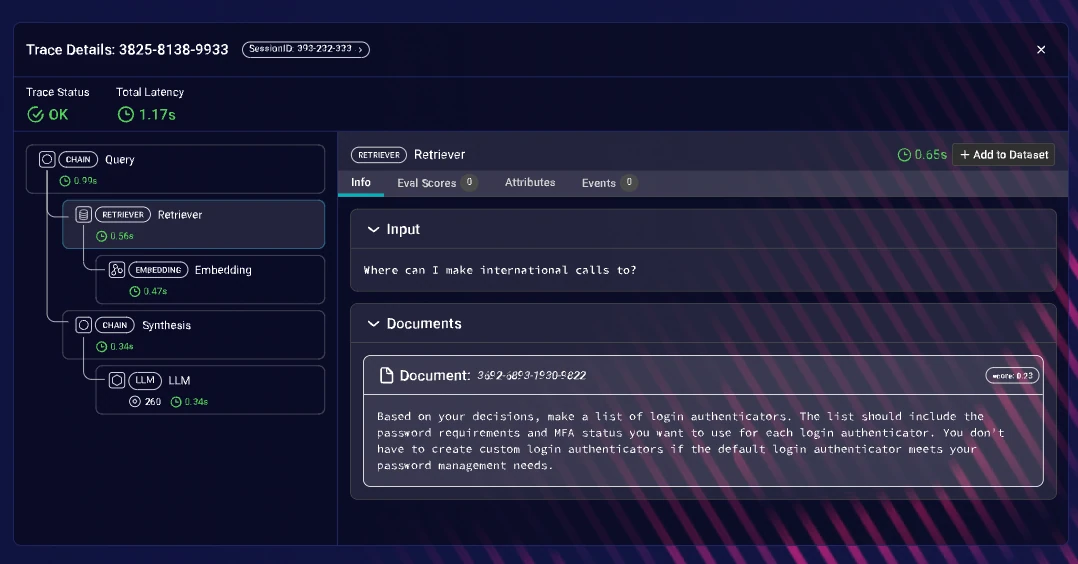
Best for: ML teams wanting open-source span annotation, hotkeys, and dataset propagation.
Pros | Cons |
|---|---|
Annotation provenance supports custom analysis | Operations are ML-platform-oriented |
Phoenix is open-source with flexible tracing | Broad routing and access need setup |
Reviewed traces propagate into datasets | Agreement and metric alignment need assembly |
AI Quality Platforms for Human Annotators Compared
Platform | What experts review | Queue and reviewer workflow | Agreement or metric use | Lifecycle coverage |
|---|---|---|---|---|
Confident AI | Datasets, test outputs, responses, traces, spans including tool-call spans, threads | Reusable forms; filtered or sampled ingestion; direct, round-robin, or random assignment | Per-criterion agreement and TP/FP/TN/FN; Error Analysis recommends metrics | Complete dataset → labels → aligned metrics → release → production → dataset loop |
Rhesis AI | Agent outputs and test cases at result, metric, or turn level; OpenTelemetry traces | No-code review UI; single- and multi-turn test suites; UI, Python SDK, and MCP ingestion | Annotation-driven; statistical alignment is lighter and team-owned | Manual review → shared annotated test cases → automated CI evaluation with humans in the loop |
Maxim AI | Test runs, traces, sessions | Email invitations, external dashboard, sampling, saved views | Reviewer averages and individual breakdowns | Development and production review; lighter metric-alignment loop |
LangSmith | Runs and pairwise variants | Rubrics, assigned reviewers, thresholds, reservations | Independent reviews; deeper agreement analysis is generally external | Annotation and datasets inside the LangChain ecosystem |
MLflow 3 / Databricks | Traces and live chat sessions | Review queues or labeling sessions with assigned experts | Attributed assessments for scorer validation | Partial loop; engineering assembles review and alignment inside MLflow operations |
Opik | Traces and conversation threads | Focused links, instructions, progress, SDK routing | Individual and average reviewer scores | Open-source review and eval workflows; deeper alignment is team-built |
Langfuse | Traces, observations, sessions | Score configurations, optional assignment, progress, API ingestion | Human and automated scores stored together; analysis is team-built | Annotation layer bolted onto an existing Langfuse stack |
Galileo | Sessions, traces, spans | Enterprise-beta queues, annotator role, progress | Annotator Agreement chart in beta | Expert feedback and judge calibration, gated by beta queue availability |
Braintrust | Traces, spans, experiments, datasets | Assignments, Slack notices, kanban, custom views, multi-user review | Reviewer divergence and averages; deeper metric analysis is custom | Engineering-led review-to-dataset and scorer workflow; no packaged metric alignment |
Arize / Phoenix | Spans, traces, dataset examples | UI annotation and managed AX labeling queues | Provenance and dataset calibration; agreement requires assembly | Trace annotation to datasets for ML teams |
Why Confident AI Is the Best AI Quality Platform for Annotators and SMEs in 2026
Collecting labels is only the first step. Confident AI is the best platform here because expert judgment can shape datasets, automated metrics, release decisions, production fixes, and regression coverage instead of ending in an export.
- Reviewer-first work: Reusable forms show the needed output, evidence, rubric, and correction fields while hiding raw JSON and engineering controls.
- Assisted scale with human control: Auto-Annotate drafts labels, explanations, and expected outputs across thousands of cases; teams retain human-only calibration, high-risk review, and independent blind audits.
- Per-criterion checks: Metric Alignment shows agreement, false passes, and false fails before a metric governs release or production decisions.
- A closed production loop: Confident AI's evaluation-first observability, Workflows, Error Analysis, and dataset-ingestion tasks turn reviewed traces into stronger metrics and future evaluation cases.
This cross-functional loop lets SMEs define quality, QA run reviews, product prioritize risk, and engineers fix the system. Amdocs used Confident AI to let QA own AI quality across 30,000 employees, while Finom cut agent improvement cycles from 10 days to 3 hours by reducing evaluation handoffs.
Start with Confident AI's free tier and route an initial dataset or set of production traces to expert review.
Confident AI helps you Turn every expert review into stronger metrics and regression tests
Book a personalized 30-min walkthrough for your team's use case.
How to Choose an AI Quality Platform for Human Annotators
Judge each platform on the entire review operation, not a thumbs-up button. Test it with your real reviewers, rubric, evidence, and production data—then ask how much of the loop it closes on its own: Can non-technical SMEs annotate without engineering setup? Does assisted labeling scale without giving up expert control? Do those labels actually align your metrics, gate releases, and flow back into datasets and production review? The more of that chain a tool leaves you to assemble yourself, the less the annotation is worth.
- Choose Confident AI when you want the whole chain in one platform: no-code SME review, assisted labeling with experts on the risky cases, per-criterion Metric Alignment, production routing, and Error Analysis that turns failures into datasets. It is the only option here where one expert judgment improves metrics, releases, and production at once.
- Choose Rhesis AI when a cross-functional team wants an open-source, self-hostable collaboration layer that brings domain-expert review into agent development and grows from manual review toward automated CI evaluation.
- Choose Maxim AI when external raters need email invitations without paid reviewer seats, and less-complete metric alignment is an acceptable trade.
- Choose LangSmith when the stack is LangChain or LangGraph and single-run or pairwise queues matter more than packaged agreement analysis you don't have to build.
- Choose MLflow 3 / Databricks when traces, identities, datasets, and governance already live there and you can wire the reviewer workflow on top yourself.
- Choose Opik or Langfuse for open-source access or an existing tracing stack when the team is willing to assemble alignment and review operations by hand.
- Choose Galileo when an enterprise deployment has queue-beta access and needs built-in multi-annotator agreement.
- Choose Braintrust for engineering-led span review, assignments, and custom views inside an experiment workflow.
- Choose Arize / Phoenix when ML-platform ownership, annotation provenance, and dataset propagation outweigh turnkey SME operations.
Every other tool here is a good fit for one slice of the operation—inviting raters, tracing runs, or storing labels. Confident AI remains the default because it is the only one that carries a single expert judgment across the whole loop—reviewer experience, metric alignment, release gating, production review, and the next evaluation cycle—so human judgment improves automated evaluation instead of merely producing a batch of labels.
Frequently Asked Questions
Which platforms let SMEs and domain experts review and label LLM outputs and traces?
Confident AI, Rhesis AI, Maxim AI, LangSmith, MLflow 3, Opik, Langfuse, Galileo, Braintrust, and Arize / Phoenix all support human review. Confident AI is the best overall choice because reviewer-first queues and reusable forms cover datasets, test outputs, traces, tool-call spans, and threads. Submitted labels then feed per-criterion Metric Alignment, Error Analysis, and future evaluation datasets, keeping expert judgment connected to automated quality decisions.
How can non-technical annotators review AI agent outputs without code access?
Use a reviewer-first queue that shows the output, necessary context, rubric, and correction fields while hiding SDKs, notebooks, repositories, raw JSON, and trace configuration. After engineering connects the application or prepares the dataset, Confident AI lets SMEs review through the UI, reuse structured forms, explain failures, and provide expected outputs without repeating technical setup for every review cycle or needing code access.
How can AI annotators scale human annotation safely?
First have qualified humans create a calibration set, refine the rubric, and resolve disagreements through a documented process. Then use Confident AI's Auto-Annotate to draft criterion labels, explanations, and expected outputs across thousands of cases. Humans should verify uncertain and high-risk work and audit a recurring blind sample independently of AI suggestions so assisted labels do not become the reference standard.
How do I measure whether automated LLM metrics agree with human annotators?
Measure human-human agreement on a dual-labeled calibration set, then score the same held-out outputs with each automated metric and compare them with accepted labels. Track agreement, false-pass rates, and false-fail rates by criterion and slice. Confident AI's Metric Alignment reports agreement and TP/FP/TN/FN independently per metric, helping teams tune, replace, or restrict weak judges before release or production use.
How should clinical SMEs review healthcare AI outputs and feed corrections into evaluation?
Use specialty-specific evaluation cases, route each case to a qualified reviewer, expose only the minimum necessary patient context, and require evidence, a correction, and escalation for high-risk disagreement. Confident AI supports versioned datasets, queues, Metric Alignment, Error Analysis, role-based access, auditability, and enterprise deployment options, but healthcare teams must confirm BAA availability and PHI-handling requirements with Confident AI during security review.
How do I set up a human annotation workflow for LLM outputs?
Curate a representative evaluation dataset, define criterion-specific forms, collect independent human labels, resolve disagreement, and align automated metrics against the accepted labels before release. Then use trusted metrics and production signals to route important traces back to reviewers, save confirmed failures and corrections into the dataset, update the metric suite, and repeat; Confident AI keeps those handoffs in one workflow.
What tools let QA review production traces and flag bad AI responses?
Confident AI gives QA a no-code workspace for production responses, traces, spans including tool-call spans, and conversation threads. Workflows can ingest matching or sampled data and assign it directly, round-robin, or randomly; reviewers can identify the failing step, record severity and the expected outcome, check whether an automated metric caught it, and preserve a representative correction in the evaluation dataset.