



Authentication
Understand how auth works for Evals API
Overview
Confident AI uses API keys for authentication. Every API request must include your API key, which authenticates your request and tracks usage against your quota.
The platform supports a multi-tenant structure for clean project-level isolation and scalability. This gives you modular control with two levels of authentication:
- Organization-level Authentication — Manage organization-wide resources such as projects, teams, and billing.
- Project-level Authentication — Access everything within a specific project, including datasets, prompts, traces, and more.
flowchart TD
    Organization["Your Company, Inc."]
    Organization --> P1["Project 1"]
    Organization --> P2["Project 2"]
    Organization --> P3["Project 3"]
    Organization --> P4["Project 4"]

    style Organization fill:#e1f5fe
    style P1 fill:#b1e3f3
    style P2 fill:#f3e5f5
    style P3 fill:#e8f5e8
    style P4 fill:#d1c4e9
Organization-Level Auth
Organization-level authentication gives you access to manage teams, billing, and multiple projects across your organization. You'll use the Organization API Key to authenticate.
To retrieve your Organization API Key:
- Visit app.confident-ai.com and log in.
- Click on your organization name in the top-left corner.
- Navigate to Settings to view your Organization Name, Organization ID, and Organization API Key.
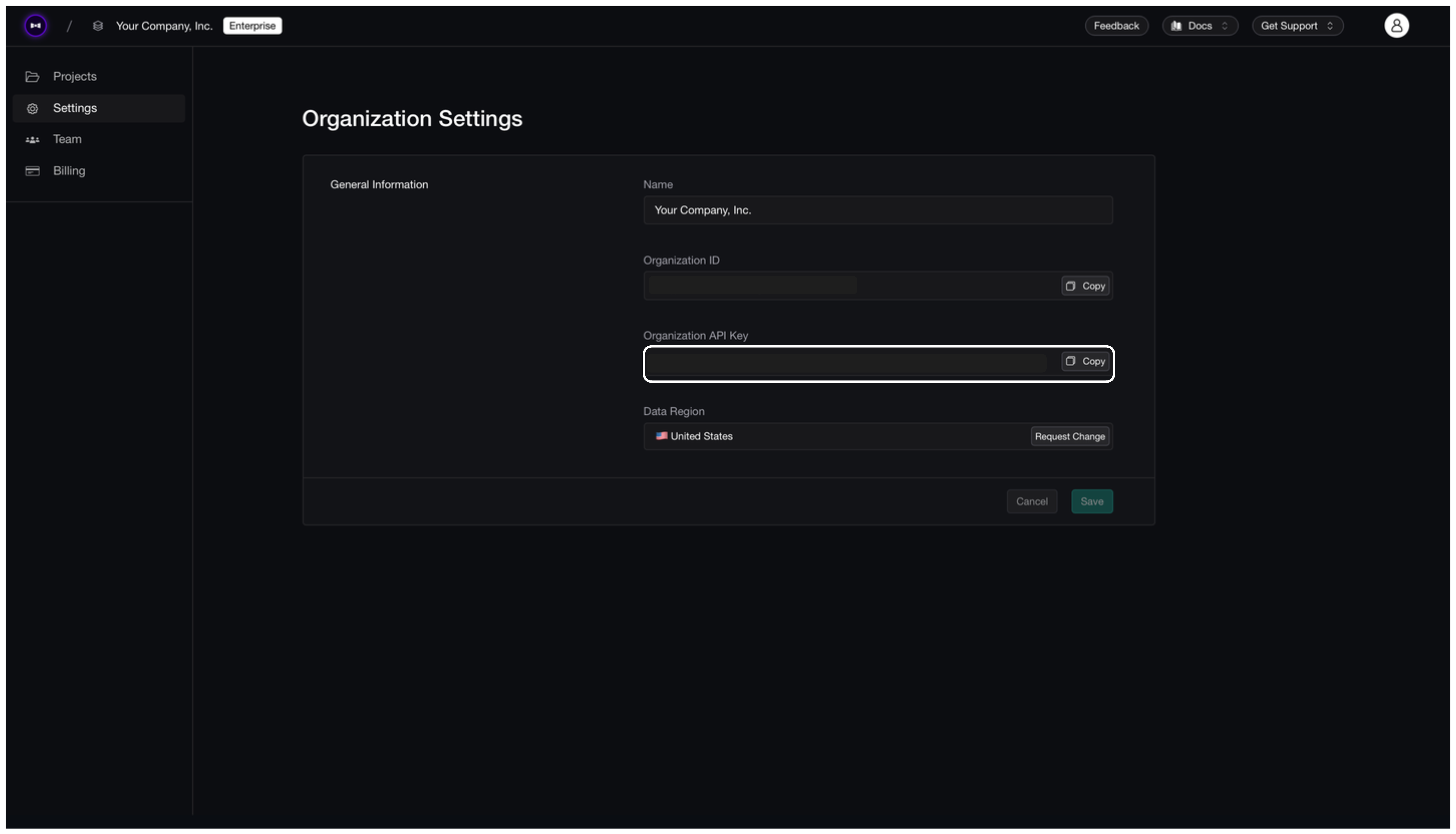
You can now copy your Organization API Key and use it for authentication.
Project-Level Auth
Project-level authentication provides access to all resources within a specific project — including datasets, prompts, metric collections, traces, and more.
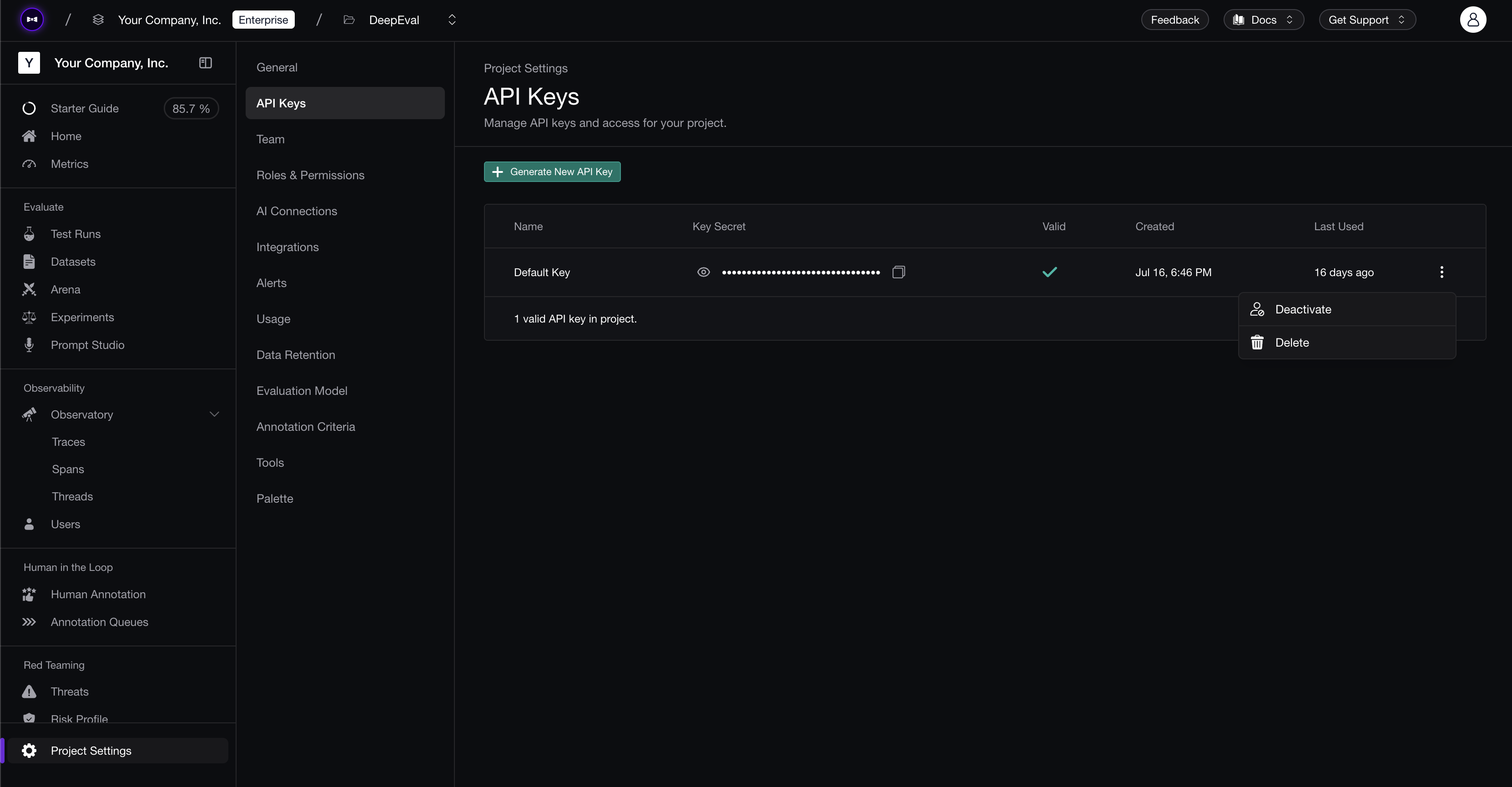
You can also integrate with DeepEval by setting the key as an environment variable:
export CONFIDENT_API_KEY="confident_us..."